
What is a mouse?
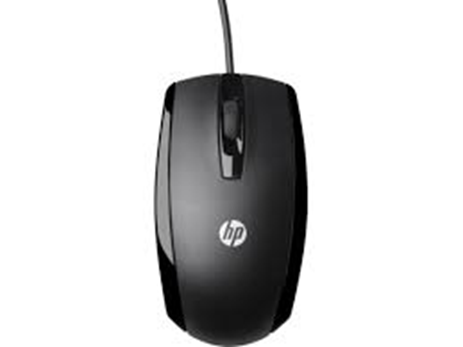
The mouse is an excellent tool for communicating with a computer by selecting items on the screen.
The majority of mice (also called computer mice) consist of a left and right button and a scroll-wheel in between. For the majority of mouse-related operations, you utilize the left button.
A mouse is a common input device used with computers to control the movement of the cursor on the screen and interact with graphical user interfaces (GUIs). It is typically a small handheld device that users move across a flat surface, translating their physical movements into corresponding movements of the cursor on the computer screen. Here’s a more detailed explanation:
1. Definition:
- A mouse is a pointing device that enables users to navigate and interact with digital content on a computer screen. It detects motion along two axes (horizontal and vertical) and translates this motion into cursor movement on the screen.
2. Components:
- A typical mouse consists of several components, including:
- Shell: The outer casing or body of the mouse, which houses the internal components.
- Buttons: Most mice have at least two buttons – a primary button (usually the left button) and a secondary button (usually the right button). Some mice also feature additional buttons for specific functions.
- Scroll Wheel: A small wheel located between the primary and secondary buttons, used for scrolling vertically through documents or web pages.
- Cable or Wireless Receiver: Mice may connect to the computer via a wired USB cable or wirelessly using a USB receiver or Bluetooth connection.
- Sensors: Optical or laser sensors inside the mouse track the mouse’s movement relative to the surface it’s on, allowing for precise cursor control.
3. Functionality:
- The primary function of a mouse is to control the movement of the cursor on the computer screen. By moving the mouse across a flat surface, users can navigate menus, select objects, drag and drop files, and perform other actions within software applications and operating systems.
4. Navigation:
- Users control the movement of the cursor by physically moving the mouse horizontally and vertically across a surface. The cursor moves in the direction and distance corresponding to the motion of the mouse.
5. Clicking:
- The buttons on the mouse are used for clicking or selecting objects on the screen. Pressing the primary button (usually the left button) performs primary actions such as selecting items or activating buttons. Pressing the secondary button (usually the right button) typically opens context menus or performs secondary actions.
6. Scrolling:
- The scroll wheel on the mouse allows users to scroll vertically through documents, web pages, or other content. Rolling the wheel forward or backward generates scrolling motion on the screen.
7. Ergonomics:
- Mouse design often incorporates ergonomic features to make them comfortable to use for extended periods. Ergonomic considerations include the shape of the mouse, button placement, and materials used in construction.
The mouse is a versatile and essential tool for interacting with computers and navigating digital environments. Its intuitive design and functionality make it a ubiquitous input device used in various computing tasks, from everyday web browsing and productivity software to gaming and graphic design.
