
Mouse
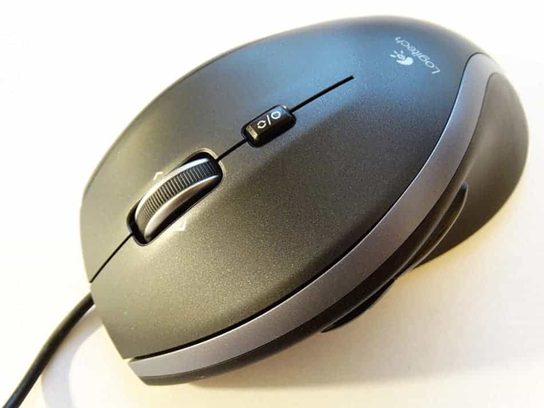
A mouse enables the user to control a cursor shown on the screen and interact with the computer more intuitively.
These days, mice feature more than the traditional three buttons. The three primary buttons, however, enable the user to pick, grasp, scroll, and access other menus and choices. A mouse may be either wired or wireless. Obviously, the latter needs batteries. Modern optical mice allow for very precise and fluid movement. The mouse is a fundamental input device for computers, allowing users to interact with graphical user interfaces (GUIs) by moving a cursor on the screen and clicking on objects or icons. Here’s an overview of the mouse:
1. Types of Mice:
- Wired Mouse: A traditional mouse that connects to the computer via a USB or PS/2 cable. Wired mice are reliable and don’t require batteries but are limited by cable length.
- Wireless Mouse: A cordless mouse that connects to the computer using radio frequency (RF), Bluetooth, or infrared technology. Wireless mice offer greater freedom of movement but require batteries or rechargeable batteries.
- Gaming Mouse: Designed specifically for gaming, gaming mice often feature ergonomic designs, high-precision sensors, customizable buttons, and adjustable DPI (dots per inch) settings for enhanced gaming performance.
- Trackball Mouse: Instead of moving the mouse itself, trackball mice have a stationary ball on the top that users rotate with their fingers to move the cursor. Trackball mice are less common but offer precise control and ergonomic benefits.
- Vertical Mouse: Vertical mice have an ergonomic design that positions the hand in a handshake-like grip, reducing wrist strain and discomfort during prolonged use. They are popular among users with repetitive strain injuries (RSI) or carpal tunnel syndrome.
2. Mouse Components:
- Buttons: Most mice have at least two buttons: a left button and a right button. Some mice also have additional buttons for scrolling, navigation, or custom functions.
- Scroll Wheel: A wheel located between the left and right buttons allows users to scroll up and down web pages, documents, and other content with ease.
- Optical Sensor: An optical sensor tracks the mouse’s movement and translates it into cursor movement on the screen. Optical mice use LED (light-emitting diode) or laser technology for precise tracking on various surfaces.
- DPI Button: Some gaming mice feature a DPI (dots per inch) button that allows users to adjust the sensitivity of the mouse sensor on-the-fly, providing greater control and precision in games.
- Side Buttons: Gaming mice and some productivity mice may feature side buttons that can be programmed for specific functions, such as weapon switching in games or shortcut commands in productivity applications.
3. Mouse Usage:
- Pointing: Moving the mouse across a surface controls the movement of the cursor on the screen. Users can point and click on icons, buttons, and other graphical elements to interact with software applications and navigate the operating system.
- Clicking: Pressing the left mouse button (or primary button) performs a standard click, while pressing the right mouse button (or secondary button) opens context menus or performs secondary actions.
- Dragging: Clicking and holding down the mouse button while moving the mouse drags or selects objects on the screen. Dragging is commonly used for selecting text, moving files, resizing windows, and other tasks.
- Scrolling: Rotating the scroll wheel up or down allows users to scroll through documents, web pages, and other content vertically. Some mice also support horizontal scrolling for navigating wide documents or websites.
4. Mouse Ergonomics:
- Ergonomic design is an important consideration when choosing a mouse, especially for users who spend extended periods using a computer.
- Ergonomic mice are designed to reduce wrist strain, hand fatigue, and discomfort by promoting a natural hand position and providing adequate support for the hand and wrist.
- Users with specific ergonomic needs should consider factors such as grip style (palm grip, claw grip, fingertip grip), hand size, and the shape and size of the mouse when selecting a mouse that fits their requirements.
The mouse plays a crucial role in computer interaction, providing intuitive and precise control for navigating software interfaces, performing actions, and interacting with digital content. With various types, designs, and features available, users can choose a mouse that best suits their needs and preferences for optimal comfort and productivity.
