
Monitor or Visual Display Unit (VDU)
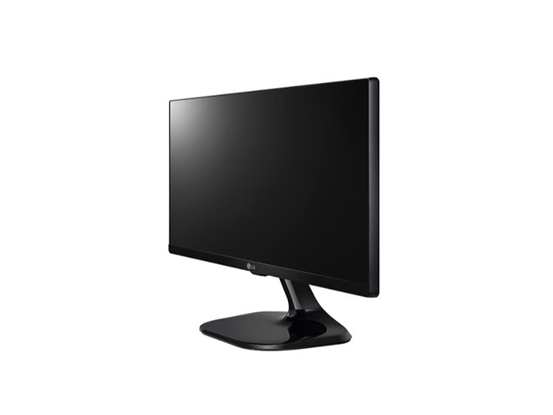
A monitor is used to display the graphical data sent by the graphics card.
There are a variety of monitors available on the market. The most prevalent kind of monitor is an LED-backlit LCD display. Additionally, there are a range of sizes with varying aspect ratios. The aspect ratio is the ratio between the height and width of an image. For instance, a monitor with a 16:9 aspect ratio will have 16 horizontal pixels and 9 vertical pixels. Curved displays are also available, although they are more costly. Monitors now have a quick reaction time in order to maintain up with increasing demands necessary to remove input delays in gaming.
A monitor, also known as a Visual Display Unit (VDU) or display screen, is an essential output device for computers that visually presents digital information to users. Here’s an overview of monitors:
1. Types of Monitors:
- LCD (Liquid Crystal Display) Monitor: LCD monitors use thin-film transistor (TFT) technology to display images. They are popular for their slim design, energy efficiency, and excellent color reproduction.
- LED (Light-Emitting Diode) Monitor: LED monitors use light-emitting diodes to backlight the LCD panel, resulting in brighter displays, better contrast ratios, and lower power consumption compared to traditional LCD monitors.
- IPS (In-Plane Switching) Monitor: IPS monitors offer superior color accuracy, wider viewing angles, and better color consistency compared to standard LCD monitors. They are suitable for professional graphics work, photo editing, and multimedia applications.
- Gaming Monitor: Gaming monitors are optimized for fast response times, high refresh rates, and low input lag to provide smooth gameplay and minimize motion blur and ghosting effects.
- Curved Monitor: Curved monitors feature a gently curved screen that wraps around the user’s field of view, providing a more immersive viewing experience and reducing eye strain by minimizing reflections and glare.
- Ultra-Wide Monitor: Ultra-wide monitors have an aspect ratio wider than the standard 16:9, offering more horizontal screen space for multitasking, gaming, and immersive entertainment experiences.
- 4K Monitor: 4K monitors have a resolution of 3840 x 2160 pixels (UHD) or 4096 x 2160 pixels (DCI 4K), providing crisp, detailed images and more screen real estate for productivity tasks, content creation, and multimedia playback.
2. Monitor Features:
- Resolution: Monitor resolution refers to the number of pixels displayed on the screen horizontally and vertically. Higher resolutions result in sharper images and more detailed visuals.
- Refresh Rate: The refresh rate of a monitor indicates how many times per second the screen refreshes to display a new image. Higher refresh rates result in smoother motion and reduced motion blur, making them ideal for gaming and multimedia applications.
- Panel Type: The panel type of a monitor affects factors such as color accuracy, contrast ratio, and viewing angles. Common panel types include TN (Twisted Nematic), IPS (In-Plane Switching), and VA (Vertical Alignment).
- Response Time: Response time measures how quickly pixels can change from one color to another. Lower response times result in less motion blur and ghosting in fast-paced content, such as gaming and video playback.
- Connectivity: Monitors may feature various connectivity options, including HDMI, DisplayPort, USB-C, and VGA ports, allowing users to connect to computers, gaming consoles, media players, and other devices.
- Adjustability: Adjustable features such as height, tilt, swivel, and pivot allow users to customize the viewing angle and position of the monitor for optimal comfort and ergonomics.
- Built-in Speakers: Some monitors include built-in speakers for audio playback, eliminating the need for external speakers or headphones.
3. Monitor Sizes and Aspect Ratios:
- Monitors come in various sizes, ranging from compact 19-inch displays to large 32-inch or even larger models.
- Common aspect ratios include 16:9 (widescreen), 16:10, and 21:9 (ultra-wide), with widescreen formats being the most prevalent for modern monitors.
4. Monitor Ergonomics:
- Ergonomic considerations, such as adjustable stands, flicker-free technology, blue light filters, and anti-glare coatings, can help reduce eye strain and improve user comfort during extended use.
5. Monitor Applications:
- Monitors are used for a wide range of applications, including:
- Productivity: for word processing, spreadsheet analysis, and web browsing.
- Content Creation: for graphic design, photo editing, video editing, and animation.
- Gaming: for immersive gaming experiences with high refresh rates, low response times, and vibrant visuals.
- Entertainment: for watching movies, streaming videos, and enjoying multimedia content.
- Professional Use: in industries such as healthcare, finance, education, and design for specialized tasks and applications.
Monitors are essential components of computer systems, providing users with visual feedback and interaction for various tasks and applications. By choosing a monitor with the right features, specifications, and ergonomic considerations, users can enhance their productivity, creativity, and entertainment experiences.
