
Right button
Track Your Course Progress
You are currently studying as a guest. Your course progress and quiz results will not be saved unless you login to your EduCourse account. Login to track your progress and qualify for your certificate.
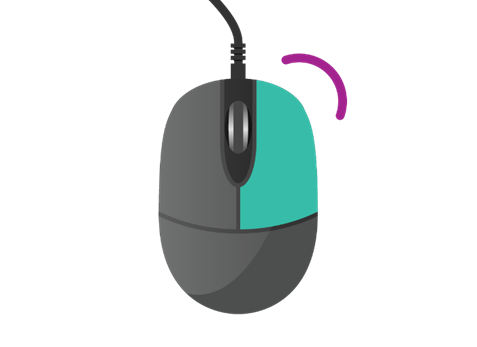
If you click on the right mouse button by mistake, a list of computer instructions will display. To delete the list, simply move the mouse and click your left button once.
The right button on a mouse or trackpad serves as a secondary button, complementing the primary left button. Here’s how it’s commonly used:
1. Context Menu:
- When you right-click on an object, icon, or area, it typically opens a context menu. This menu provides a list of actions or options relevant to the item clicked. For example, right-clicking on a file in a file explorer window will display options like “Open,” “Cut,” “Copy,” “Rename,” and “Delete.”
2. Secondary Actions:
- Right-clicking often triggers secondary actions or alternative functionalities depending on the context. For instance, in web browsers, right-clicking on a link allows you to open it in a new tab, save it, or copy its URL.
3. Selection and Manipulation:
- Right-clicking is commonly used for selecting and manipulating objects. For example, you can right-click and drag to copy files or text in some applications.
4. Customization:
- The functionality of the right button can be customized in some operating systems and applications. Users can assign specific actions or shortcuts to the right-click function based on their preferences or workflow requirements.
5. Accessing Properties:
- In many applications and operating systems, right-clicking on an object allows you to access its properties or settings. This is useful for viewing detailed information about files, folders, or other elements.
6. Gaming:
- In gaming, the right mouse button is often used for secondary actions such as aiming down sights, interacting with objects, or accessing contextual menus.
Whether it’s a physical right button on a mouse or a gesture on a trackpad, the right-click function provides users with quick access to additional options and actions, enhancing productivity and convenience in various computing tasks.
