
Motherboard
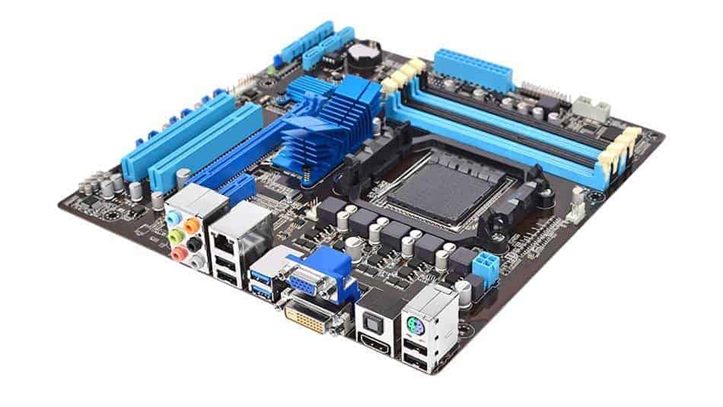
The motherboard is like the central hub of your computer. It’s a big circuit board that connects all the other components together and lets them communicate with each other. Here’s what you need to know:
1. What it does: The motherboard provides the foundation for your computer. It houses the CPU, RAM, storage drives, and other essential components, allowing them to work together seamlessly.
2. Connections: The motherboard has slots and connectors for attaching various components, including the CPU socket, RAM slots, PCIe slots for graphics cards, SATA ports for storage drives, USB ports, audio jacks, and more.
3. Chipsets: The motherboard contains chipsets that control communication between the CPU and other components. These chipsets manage data flow, power management, and other essential functions to keep everything running smoothly.
4. Form Factor: Motherboards come in different sizes, known as form factors, such as ATX, Micro-ATX, and Mini-ITX. The form factor determines the physical dimensions of the motherboard and the number of slots and connectors it can accommodate.
5. Compatibility: When choosing a motherboard, it’s essential to ensure compatibility with other components like the CPU, RAM, and graphics card. Check the motherboard’s specifications to make sure it supports the components you plan to use.
6. Importance: The motherboard is a critical component of your computer, as it provides the infrastructure for all other components to work together. Choosing the right motherboard ensures compatibility, reliability, and future upgradeability for your system.
In simple terms, the motherboard is like the backbone of your computer, connecting all the parts together and making sure everything works as it should.
