
Scanner
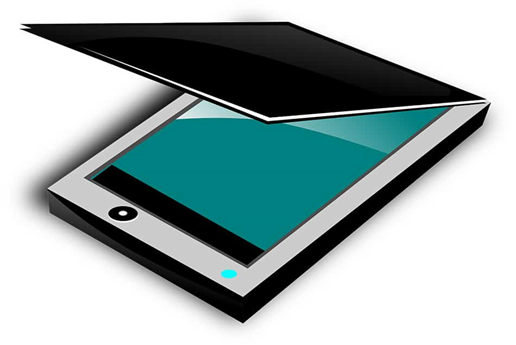
A scanner can scan anything printed on paper to create an identical digital picture. This is also quite useful for preserving physical photographs.Once the shot is digitally saved, it will not degrade over time as real photos do. The flatbed scanner is currently the most used kind. Numerous all-in-one gadgets, often known as multifunction devices, combine printing and scanning functions into a relatively tiny unit.
Types of Scanners:
- Flatbed Scanner: This type of scanner has a flat, glass surface where documents or images are placed for scanning. Flatbed scanners are versatile and can scan a wide range of items, including photos, documents, books, and even 3D objects.
- Sheetfed Scanner: Sheetfed scanners are designed to process multiple pages of documents automatically. They typically have a document feeder that can handle stacks of paper, making them ideal for scanning large volumes of documents quickly and efficiently.
- Handheld Scanner: Handheld scanners are portable devices that can be moved over the surface of a document or object to capture an image. They are useful for scanning large or awkwardly shaped items that cannot be easily placed on a flatbed scanner.
- Drum Scanner: Drum scanners are high-end, professional-grade scanners used for capturing extremely high-resolution images with exceptional detail and color accuracy. They are commonly used in industries such as graphic design, photography, and fine art reproduction.
2. Scanner Features:
- Resolution: Scanner resolution is measured in dots per inch (DPI) and determines the level of detail and sharpness in the scanned image. Higher resolutions are suitable for scanning photos and images, while lower resolutions may suffice for text documents.
- Color Depth: Color depth refers to the number of colors that can be represented in the scanned image. Higher color depth (measured in bits per pixel) allows for more accurate color reproduction and richer, more vibrant images.
- Automatic Document Feeder (ADF): Scanners equipped with an ADF can automatically feed multiple pages of documents for batch scanning, saving time and effort compared to manual feeding.
- Duplex Scanning: Duplex scanners can scan both sides of a document simultaneously, allowing for faster scanning of double-sided documents.
- Connectivity: Scanners may connect to a computer via USB, Ethernet, or Wi-Fi, depending on the model. Some scanners also support mobile scanning via smartphone apps or cloud services.
3. Scanner Software:
- Scanner software allows users to control scanning settings, adjust image quality, and save or share scanned documents. It may come bundled with the scanner or be available as a separate download.
- Common scanner software features include image enhancement, OCR (Optical Character Recognition) for converting scanned text into editable digital text, and integration with document management systems.
4. Scanner Applications:
- Scanners are used in various applications, including:
- Document scanning for digitizing paper documents, receipts, and forms.
- Photo scanning for archiving family photos, artwork, and memorabilia.
- Graphic design and image editing for creating digital artwork, illustrations, and graphics.
- OCR for converting printed text into searchable and editable digital text.
- 3D scanning for capturing three-dimensional objects and creating digital models or prototypes.
5. Scanner Maintenance:
- Regular cleaning and maintenance are essential to ensure optimal scanner performance and image quality. Clean the scanner glass, rollers, and document feeder regularly to remove dust, debris, and ink residue.
- Follow manufacturer guidelines for calibration and maintenance procedures to keep your scanner in good working condition.
Scanners are valuable tools for digitizing and preserving physical documents, images, and objects, making them accessible and shareable in digital formats. Choose a scanner that meets your specific needs and requirements to streamline your scanning tasks and enhance your productivity.
