
PSU: Power Supply Unit
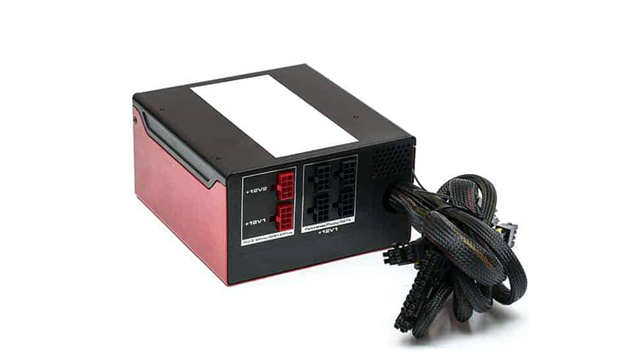
A power supply is installed within the computer chassis. This transforms the AC mains power from the plug socket into the appropriate DC voltages for the computer’s components.
You get different wattage ratings for power supplies. The higher the wattage, the higher the electrical current that can be made available to parts that need it.
The power supply includes its own fan. This allows the internal components of the power supply to remain cool when exposed to greater loads.
The Power Supply Unit (PSU) is a critical component of a computer system responsible for converting electrical power from an external source (such as a wall outlet) into usable power for the computer’s internal components. Here’s an overview of PSU:
1. Functionality:
- The primary function of the PSU is to convert alternating current (AC) from the power outlet into direct current (DC) needed by the computer’s components, including the motherboard, CPU, GPU, storage drives, and peripherals.
- The PSU provides different voltages and currents to various components of the computer, ensuring stable and reliable power delivery.
- It regulates voltage and current to prevent damage to computer components from power surges, fluctuations, or other electrical anomalies.
2. Types of PSUs:
- ATX Power Supply: The most common type of PSU used in desktop computers. ATX PSUs conform to the ATX (Advanced Technology Extended) form factor standard and are available in various wattages to meet the power requirements of different systems.
- SFX Power Supply: SFX (Small Form Factor) PSUs are compact power supplies designed for small form factor desktop PCs and mini-ITX cases. They are smaller in size than standard ATX PSUs but offer similar functionality.
- TFX Power Supply: TFX (Thin Form Factor) PSUs are slim and elongated power supplies commonly used in slim desktop cases and HTPC (Home Theater PC) systems. They are less common than ATX and SFX PSUs.
- Modular vs. Non-Modular: PSUs may be modular or non-modular. Modular PSUs feature detachable cables, allowing users to connect only the cables they need, which improves cable management and airflow within the case. Non-modular PSUs have fixed cables.
3. PSU Specifications:
- Wattage: PSU wattage indicates the maximum amount of power the PSU can deliver to the computer’s components. Higher-wattage PSUs are suitable for systems with high-performance components, multiple GPUs, or overclocking.
- Efficiency Rating: PSU efficiency is measured as a percentage and indicates how effectively the PSU converts AC power from the wall outlet into DC power for the computer. Common efficiency ratings include 80 Plus Bronze, Silver, Gold, Platinum, and Titanium.
- Rails: PSU rails refer to the different voltage outputs provided by the PSU, such as +12V, +5V, and +3.3V rails. Modern PSUs typically have a single +12V rail, while older PSUs may have multiple +12V rails.
- Connectors: PSUs include various connectors to power different components, such as the motherboard (ATX, EPS), CPU (4-pin, 8-pin), GPU (PCIe), storage drives (SATA, Molex), and peripherals.
4. PSU Safety Features:
- Over Voltage Protection (OVP): Protects components from damage caused by excessively high voltages.
- Under Voltage Protection (UVP): Prevents damage from low voltage conditions by shutting down the PSU.
- Over Current Protection (OCP): Limits current to prevent damage from short circuits or overloading.
- Over Power Protection (OPP): Shuts down the PSU if power consumption exceeds its rated capacity.
- Short Circuit Protection (SCP): Safeguards against damage from electrical shorts by shutting down the PSU.
5. Importance of PSU Quality:
- A high-quality PSU is essential for system stability, reliability, and longevity.
- Cheap or low-quality PSUs may lack sufficient power delivery, voltage regulation, or safety features, risking damage to computer components or even fire hazards.
- Investing in a reputable PSU from a trusted manufacturer with good reviews and certifications can provide peace of mind and ensure optimal performance for your computer system.
The PSU is a critical component of a computer system, providing the necessary power for all other components to function properly. Choosing the right PSU with adequate wattage, efficiency, and safety features is essential for building a stable and reliable computer system.
