
How to Secure Your Home WiFi Network
Track Your Course Progress
You are currently studying as a guest. Your course progress and quiz results will not be saved unless you login to your EduCourse account. Login to track your progress and qualify for your certificate.
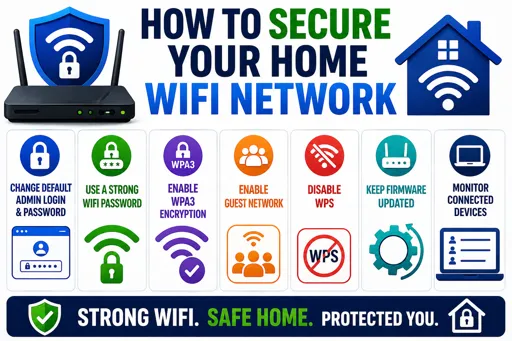
Simple Steps to Protect Your WiFi at Home
Knowing how to secure your home WiFi network is important for keeping your internet safe from hackers and unwanted guests. Many people do not realise their WiFi can be an easy target if not protected properly. Follow these clear steps to make your home WiFi stronger and safer.
Key Actions to Secure Your WiFi
- Change the Default Username and Password – Routers come with basic login details. Always change these to something unique and hard to guess.
- Use Strong WiFi Passwords – Make your WiFi password long and include letters, numbers, and symbols. Avoid simple passwords like your name or “123456.”
- Enable WPA3 or WPA2 Encryption – In your router settings, choose the strongest security type available, preferably WPA3 or WPA2, to keep data safe.
- Turn off WPS (WiFi Protected Setup) – Although WPS makes connecting easy, it is weaker security-wise and can allow hackers to connect without a password.
- Keep Your Router’s Firmware Updated – Router makers release updates that fix security problems. Check often and update your device.
- Hide Your Network Name (SSID) – This stops your WiFi name from showing up when neighbours look for networks, making it less easy to find.
- Use a Guest Network – Set up a separate network for visitors to keep your main network private and more secure.
By following these steps, you will protect your personal information and reduce the risk of others using your data without permission. Your home WiFi network is one of your most important digital security points, so taking these simple actions helps keep your whole cyber space safer.
