
How to Create a Strong Password (Step-by-Step Guide)
Track Your Course Progress
You are currently studying as a guest. Your course progress and quiz results will not be saved unless you login to your EduCourse account. Login to track your progress and qualify for your certificate.
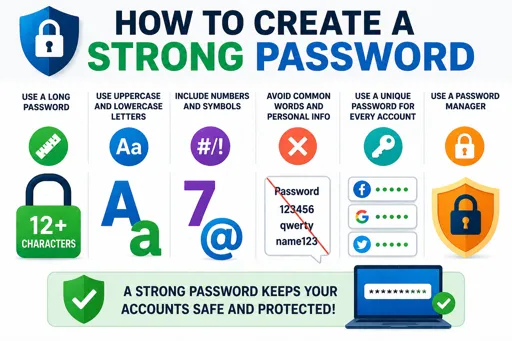
Simple Steps to Make a Strong Password
How to Create a Strong Password (Step-by-Step Guide) is important to keep your accounts safe. A strong password stops others from guessing or hacking into your information online.
Follow these easy steps to create a strong password:
- Use at least 12 characters. Longer passwords are harder to break.
- Mix letters, numbers, and symbols. Use uppercase and lowercase letters, plus numbers (0-9) and symbols like !, @, #.
- Avoid personal info. Don’t use names, birthdays, or common words that others can guess.
- Make it unique. Use a different password for each online account.
- Use a passphrase. Combine random words into a sentence only you understand, such as “RedFish7Jump&BlueSky”.
- Change passwords regularly. Update your passwords every few months for extra security.
- Use a password manager. This tool helps you create and save strong passwords safely without needing to remember them all.
Strong passwords protect your personal information and make it harder for cybercriminals to steal your data. Always follow these steps to stay safe online.
