
What to Do if You Click a Suspicious Link
Steps to Take After Clicking a Suspicious Link
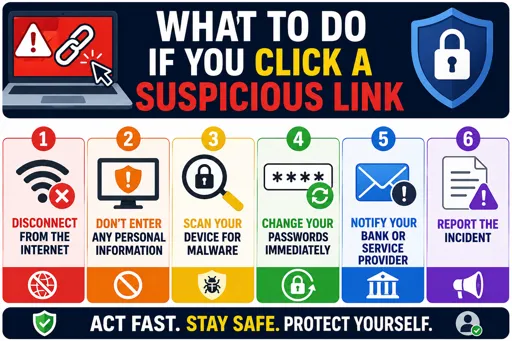
What to do if you click a suspicious link is important to know for your online safety. Sometimes, links in emails or messages look real but can harm your device or steal your information. If you click one by mistake, act quickly and follow these steps to reduce any risk.
First, do not enter any personal information on the website that opened. Close the page as soon as possible to stop any downloads or further actions.
Next, run a full scan with your antivirus or anti-malware software. This can find and remove harmful programs that may have been installed secretly.
After scanning, change your passwords for important accounts, especially if you use the same password on multiple sites. This helps protect your information in case your details were stolen.
It is also important to update all your software and apps. Updates often fix security weaknesses that hackers try to exploit.
Additional actions to consider:
- Inform your IT department, teacher, or parent about the incident.
- Check your bank or credit card accounts for unusual activity.
- Be alert to follow-up phishing emails or messages using your information.
Remember, acting quickly after clicking a suspicious link helps protect you from many online threats. Always be cautious with links, especially in unexpected emails or messages. Learning what to do if you click a suspicious link builds good internet habits and keeps your data safe.
