
Browser Security Settings You Should Enable
Important Browser Settings to Keep You Safe Online
Browser Security Settings You Should Enable help protect your personal information and stop dangerous websites from causing harm. It is important to adjust these settings before you start browsing the internet.
First, enable the pop-up blocker. Pop-ups can contain harmful content or try to trick you into clicking unwanted ads. Blocking these pop-ups reduces the risk of malware infections.
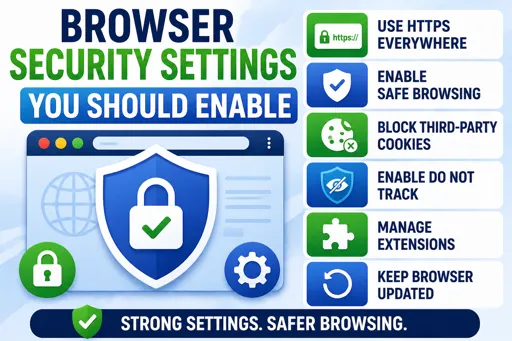
Next, turn on the “Do Not Track” feature. This tells websites not to follow your online activity. Although not all sites listen, it adds an extra layer of privacy.
You should also activate safe browsing or phishing protection. This setting warns you when you try to visit a site known to be unsafe or trying to steal your information.
Other Key Browser Security Settings to Enable
- Disable third-party cookies: Prevents sites from tracking your browsing habits across the web.
- Clear browsing data regularly: Deletes stored data such as passwords, cookies, and cache that might be stolen.
- Use HTTPS-only mode: Forces your browser to connect securely to websites, protecting your data from interception.
- Enable automatic updates: Keeps your browser up to date with the latest security patches.
By enabling these browser security settings, you make your internet use much safer. It helps protect your device and personal information from hackers, scams, and viruses. Always review your settings after installing a new browser or update.
