
Understanding the Google Workspace Interface
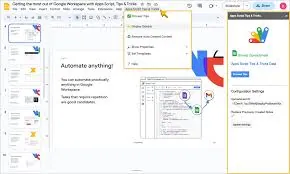
In this lesson, Understanding the Google Workspace Interface, learners will be introduced to how Google Workspace is structured and how users move around within it. The purpose of this lesson is to help students feel comfortable and confident navigating the workspace so they can focus on their tasks instead of struggling to find tools or features.
Students will begin by learning about the Google Apps menu, also known as the App Launcher. This section explains how the Apps menu acts as a central access point for Google tools and how it helps users quickly move between email, file storage, documents, calendars, and other services without needing to search or type web addresses.
The lesson then focuses on navigation between tools. Learners will understand how Google Workspace allows smooth movement from one tool to another using shared menus, links, and a single sign-in. This helps students see how communication, files, and tasks are connected rather than separated into different systems.
Students will also learn about common icons and menus used across Google tools. This part of the lesson helps learners recognise familiar symbols, menu layouts, and actions that appear repeatedly in different tools. Understanding these visual elements makes it easier to use new tools without starting from scratch each time.
Finally, the lesson explains layout consistency across Google tools. Learners will see how Google Workspace uses similar layouts, menus, and interface elements to create a predictable and user-friendly experience. This consistency reduces the learning curve and makes switching between tools simpler and less intimidating.
By the end of this lesson, students will understand how the Google Workspace interface is organised, how to navigate between tools, and why consistency across the platform matters. This foundation prepares learners to work more efficiently and confidently within Google Workspace in both learning and professional environments.
