
Tools Included in Google Workspace
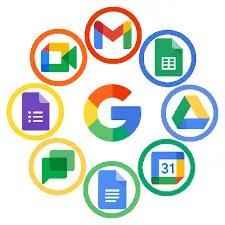
In this lesson, Tools Included in Google Workspace, learners will be introduced to the main tools that make up the Google Workspace environment and how they support everyday digital work, communication, and collaboration. The lesson is designed to help students understand not only what each tool does on its own, but also how they work together as part of one connected productivity system.
Students will begin by learning about Gmail, the central communication tool used for professional and organisational email. This section explains how email is managed, organised, and used as a starting point for many tasks and workflows within Google Workspace. Learners will understand why email remains a core part of modern digital communication.
The lesson then explores Google Drive, which acts as the central cloud storage system for all files. Students will learn how files are stored online, organised into folders, shared with others, and accessed from different devices. This provides a clear foundation for understanding how cloud storage supports flexibility and teamwork.
Learners will also be introduced to Google Docs, Google Sheets, and Google Slides, which are the core content creation tools in Google Workspace. These sections explain how written documents, spreadsheets, and presentations are created, edited, and collaborated on in real time. Students will see how these tools support tasks such as writing reports, working with data, and presenting information clearly and professionally.
The lesson further covers Google Calendar, focusing on how time, meetings, and schedules are managed. Students will learn how calendars are used to plan events, coordinate with others, and stay organised through reminders and shared schedules. This helps learners understand the role of time management in digital work environments.
In addition, the lesson explains how these tools work together within one system. Learners will see how email, files, documents, and calendars are connected, allowing work to flow smoothly from communication to collaboration to planning. This section highlights how Google Workspace functions as a single digital workspace rather than a collection of separate apps.
Finally, students will learn why integration matters. This part of the lesson explains how having connected tools improves efficiency, reduces confusion, supports collaboration, and simplifies digital work. Learners will understand why integrated platforms like Google Workspace are widely used in modern businesses, schools, and organisations.
By the end of this lesson, students will have a clear overview of the tools included in Google Workspace, what each tool is used for, and how they work together to support productivity. This introduction prepares learners to confidently use these tools in real-world academic and professional environments.
