
What online collaboration for Google Workspace means
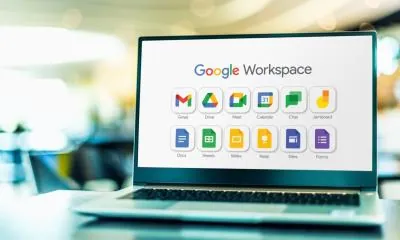
Online collaboration in Google Workspace means working with other people on the same tasks, files, and projects using Google’s cloud-based tools, even if everyone is in different places. Instead of sending documents back and forth, saving multiple versions, or waiting for someone to finish before you can start, Google Workspace allows people to work in one shared online space where updates happen instantly. The main idea is simple: the work is stored online, shared safely, and improved together as a team.
In Google Workspace, online collaboration is built around the cloud. When a file is created in Google Docs, Google Sheets, or Google Slides, it is automatically saved in Google Drive. Because it is stored online, that file can be opened from any device and shared with others through a link or invitation. This is the foundation of collaboration in Google Workspace: everyone is working from the same “source,” not from separate copies. It removes the confusion of having “different versions” of the same document and makes teamwork smoother.
A major part of online collaboration for Google Workspace is real-time editing. Real-time means more than one person can open the same file and work on it at the same time. If one person types a paragraph in Google Docs, others can see it appear immediately. If someone updates data in a Google Sheets spreadsheet, everyone else sees the new values instantly. This changes how groups work because it allows people to build a document together rather than waiting for one person to finish and send it around.
Collaboration in Google Workspace also includes structured feedback tools. Instead of editing someone’s work without explanation, users can leave comments on specific parts of a document, spreadsheet, or slide. Comments can be replied to, marked as resolved, and used to guide improvement. This makes collaboration clearer and more respectful, especially when multiple people are contributing. A student can ask a question on a paragraph, a manager can request a change, and the group can respond in a way that stays attached to the exact part of the work being discussed.
Another useful collaboration method in Google Workspace is suggestion mode in Google Docs. Suggestion mode allows someone to propose edits without changing the original text directly. The document owner or editor can then accept or reject those suggestions. This is especially helpful for beginners and group work, because it prevents accidental changes while still allowing improvement. It also encourages teamwork where everyone can contribute while maintaining control over the final version.
Google Drive plays a central role because it is where shared files live. In Drive, users can organise files into folders and share those folders with team members. When a folder is shared, everyone with access can find the latest files in one place. This is much better than searching through email attachments, because the files remain organised and always up to date. Drive also keeps track of changes and often allows you to restore older versions, which adds safety when many people are working together.
Permissions are one of the most important parts of online collaboration in Google Workspace. When you share a file, you can decide what others are allowed to do. Some people can view only, some can comment, and others can edit. This matters because it protects important files and helps manage group work properly. For example, in a classroom setting, a teacher might allow students to view instructions but only comment on feedback, while group members working on a project might all have edit access.
Online collaboration in Google Workspace is not only about documents. It includes communication and planning tools too. Gmail is often used to start conversations and share links to files. Google Calendar can be used to schedule meetings, set deadlines, and plan tasks. When a meeting is created, it can include links to shared Drive files or an agenda in Google Docs. This keeps everyone aligned and helps the team prepare properly. The point is that collaboration is not just “editing together,” it is also planning and coordinating together.
Google Workspace also supports collaboration through easy sharing. Instead of sending large attachments, users can share a link to the file. This link always points to the current version, so there is no worry about someone working on an old copy. Sharing links also reduces storage issues and makes collaboration faster. In professional environments, this is one of the most common ways teams work: share a file, set permissions, and collaborate directly within it.
For beginners, it helps to know that Google Workspace makes collaboration feel natural because everything is connected. You can receive a file link in email, open it in Docs, leave a comment, and then check a calendar invite for the next meeting—all while staying in the same workspace. This integration reduces the stress of switching between different platforms and helps users keep all their work organised in one environment.
A few common examples of online collaboration in Google Workspace include:
- A group of students working together on one Google Docs assignment, each writing a section and leaving comments for feedback
- A team tracking progress in Google Sheets, with multiple people updating shared information daily
- A staff member creating a Google Slides presentation while others review slides and add suggestions
- A manager sharing a Drive folder containing project files so everyone uses the same documents
- A teacher sharing a document with view access and using comments to give feedback to learners
In summary, online collaboration in Google Workspace means using Google’s cloud-based tools to work together on shared files, communicate clearly, and stay organised as a team. It includes real-time editing, comments and suggestions, shared Drive storage, controlled permissions, and integrated planning through tools like Gmail and Calendar. Once students understand this, they will see why Google Workspace is widely used for teamwork in schools, businesses, and modern digital workplaces.
