
Accessing Workspace from different devices
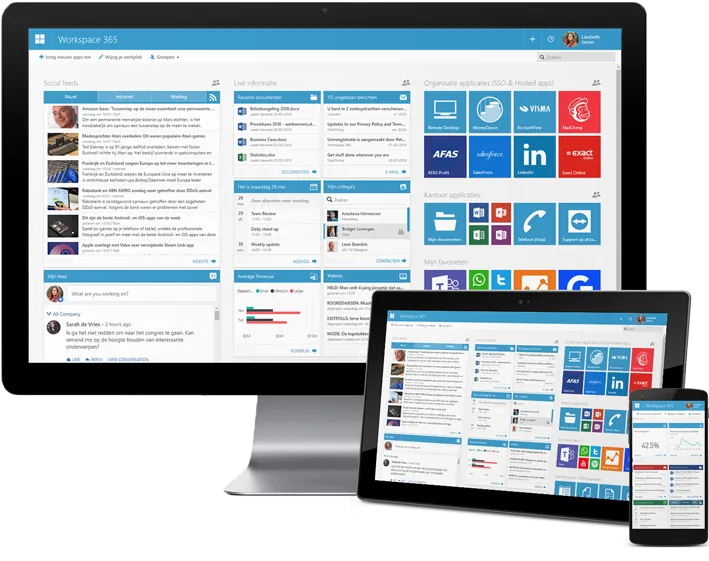
Accessing Google Workspace from different devices is one of the main advantages of using a cloud-based productivity platform. Because Google Workspace is designed to work online, users are not limited to a single computer or location. As long as you can sign in to your Google account and have an internet connection, you can access your email, files, documents, calendars, and other tools from a wide range of devices.
Google Workspace can be accessed from desktop computers and laptops using a web browser. This means there is no need to install special software to use most Workspace tools. When you sign in through a browser, you can open Gmail, Google Drive, Docs, Sheets, Slides, and Calendar exactly as you would on any other computer. This is especially useful in environments such as schools, libraries, or shared offices where you may not always use the same device.
Mobile devices also play a big role in accessing Google Workspace. Smartphones and tablets allow users to check emails, view documents, respond to messages, and manage calendars while on the move. Mobile apps are designed to sync automatically with the account, so changes made on a phone are reflected on a computer and vice versa. This makes it easy to stay connected and productive even when away from a desk.
Another important benefit of accessing Workspace from different devices is continuity. You can start working on a document on one device and continue on another without transferring files or saving copies. Because everything is stored in the cloud, the most recent version of your work is always available. This helps prevent issues such as outdated files or missing information.
Using different devices also supports flexible work and learning. For example, a student might use a school computer during the day and a personal device at home. An employee might work on a laptop during office hours and check emails on a phone after hours. Google Workspace supports these situations by keeping all tools connected to one account rather than one device.
Security remains important when accessing Workspace from multiple devices. Users should only sign in on devices they trust and always sign out on shared or public computers. Using screen locks and secure passwords on personal devices adds an extra layer of protection. This ensures that convenience does not come at the cost of account safety.
Offline access is another helpful feature in some cases. Certain Workspace tools allow limited access even without an internet connection. Changes made offline are synced automatically once the device reconnects to the internet. This is useful in areas with unstable connectivity or when working while travelling.
In summary, accessing Google Workspace from different devices allows users to work flexibly, stay connected, and continue tasks without interruption. By linking work to an account instead of a single device, Google Workspace supports modern digital habits and makes it easier to work and learn from almost anywhere.
