
Understanding cells
Every worksheet is made up of thousands of rectangles, which are called cells. A cell is the intersection of a row and a column—in other words, where a row and column meet.
Columns are identified by letters (A, B, C), while rows are identified by numbers (1, 2, 3). Each cell has its own name—or cell address—based on its column and row. In the example below, the selected cell intersects column C and row 5, so the cell address is C5.
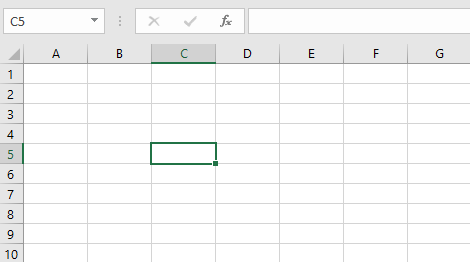
Note that the cell address also appears in the Name box in the top-left corner, and that a cell’s column and row headings are highlighted when the cell is selected.
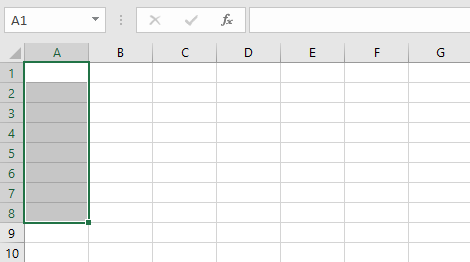
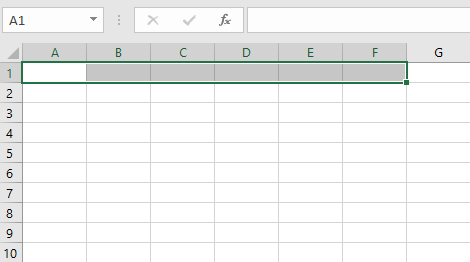
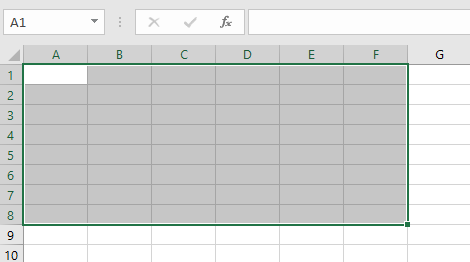
You can also select multiple cells at the same time. A group of cells is known as a cell range. Rather than a single cell address, you will refer to a cell range using the cell addresses of the first and last cells in the cell range, separated by a colon. For example, a cell range that included cells A1, A2, A3, A4, and A5 would be written as A1:A5. Take a look at the different cell ranges below:
- Cell range A1:A8
- Cell range A1:F1
- Cell range A1:F8
If the columns in your spreadsheet are labeled with numbers instead of letters, you’ll need to change the default reference style for Excel.
To select a cell:
To input or edit cell content, you’ll first need to select the cell.
- Click a cell to select it. In our example, we’ll select cell D9.
- A border will appear around the selected cell, and the column heading and row heading will be highlighted. The cell will remain selected until you click another cell in the worksheet.
You can also select cells using the arrow keys on your keyboard.
To select a cell range:
Sometimes you may want to select a larger group of cells, or a cell range.
- Click and drag the mouse until all of the adjoining cells you want to select are highlighted. In our example, we’ll select the cell range B5:C18.
- Release the mouse to select the desired cell range. The cells will remain selected until you click another cell in the worksheet.
