
Where can you find number formats?
Track Your Course Progress
You are currently studying as a guest. Your course progress and quiz results will not be saved unless you login to your EduCourse account. Login to track your progress and qualify for your certificate.
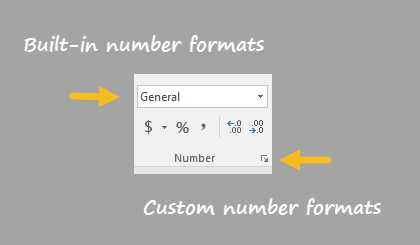
On the home tab of the ribbon, you’ll find a menu of build-in number formats. Below this menu to the right, there is small button to access all number formats, including custom formats:
This button opens the Format Cells dialog box. You’ll find a complete list of number formats, organized by category, on the Number tab:
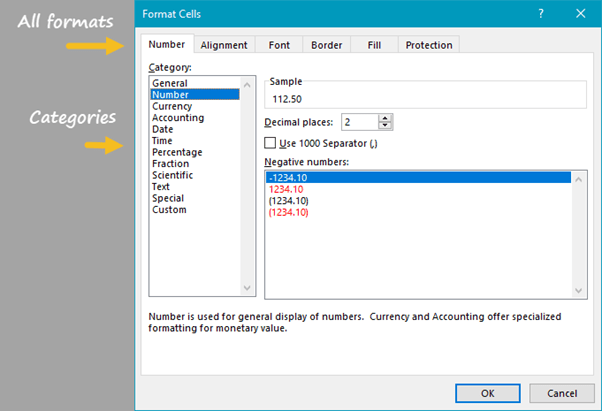
Note: you can open Format Cells dialog box with the keyboard shortcut Control + 1.
