Changing the Font Color
Track Your Course Progress
You are currently studying as a guest. Your course progress and quiz results will not be saved unless you login to your EduCourse account. Login to track your progress and qualify for your certificate.
- Select the cell(s) you want to modify.

- On the Home tab, click the drop-down arrow next to the Font Color command, then select the desired font color. In our example, we’ll choose Green.
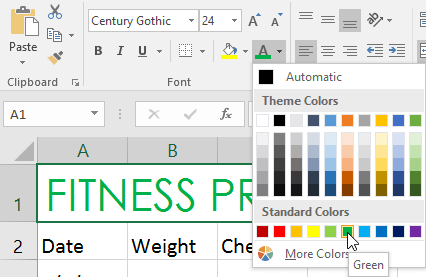
- The text will change to the selected font color.

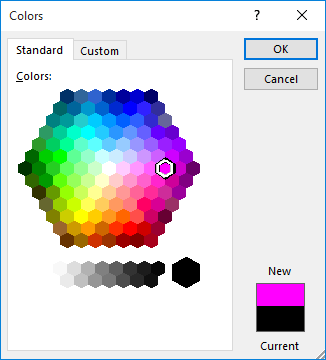
Select More Colors at the bottom of the menu to access additional color options. We’ve changed the font color to a bright pink.