
Function 1 – COUNT
Track Your Course Progress
You are currently studying as a guest. Your course progress and quiz results will not be saved unless you login to your EduCourse account. Login to track your progress and qualify for your certificate.
Microsoft Excel is all about formulas and functions. You can find an overview of the 10 most used Excel functions (+ extra tricks when creating formulas in Excel).
1. COUNT
To count the number of cells that contain numbers, use the COUNT function.
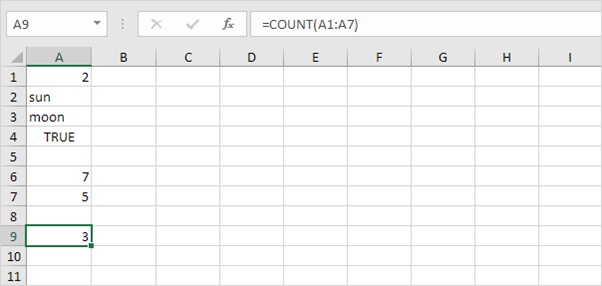
Note: use COUNTBLANK and COUNTA to count blank/nonblank cells in Excel. COUNTA stands for count all.
