
Excel Cell Styles
Track Your Course Progress
You are currently studying as a guest. Your course progress and quiz results will not be saved unless you login to your EduCourse account. Login to track your progress and qualify for your certificate.
Instead of formatting cells manually, you can use Excel’s predesigned cell styles. Cell styles are a quick way to include professional formatting for different parts of your workbook, such as titles and headers.
To apply a cell style:
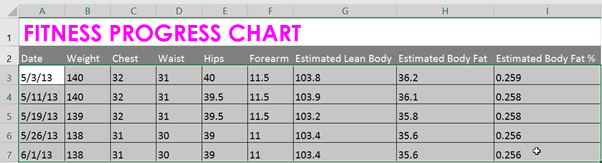
In our example, we’ll apply a new cell style to our existing title and header cells.
- Select the cell(s) you want to modify.
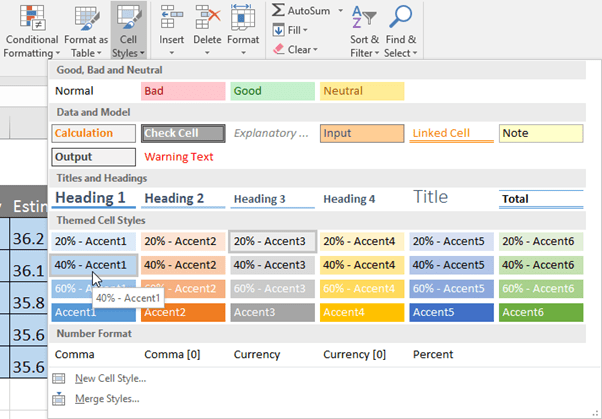
- Click the Cell Styles command on the Home tab, then choose the desired style from the drop-down menu.
- The selected cell style will appear.
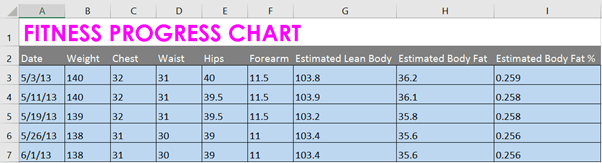
Applying a cell style will replace any existing cell formatting except for text alignment. You may not want to use cell styles if you’ve already added a lot of formatting to your workbook.
