
How to Change Capitalization in Word
Login to save your progress and get your certificate.
Your course progress is only saved when you are logged in.
Microsoft Word permits change of capitalization in your texts with ease. For example, if we want to edit the title and make it all uppercase, it not necessary to retype it.
Highlight the title, click the Change Case button on the ribbon to implement the change.

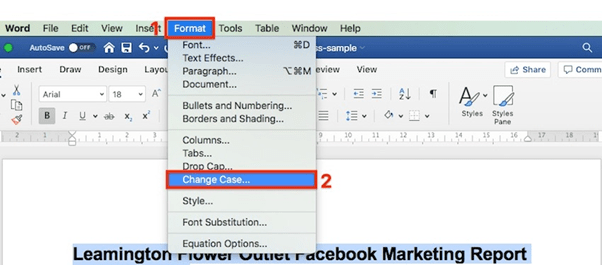
Alternatively, you can highlight the text, go to Format>Change case
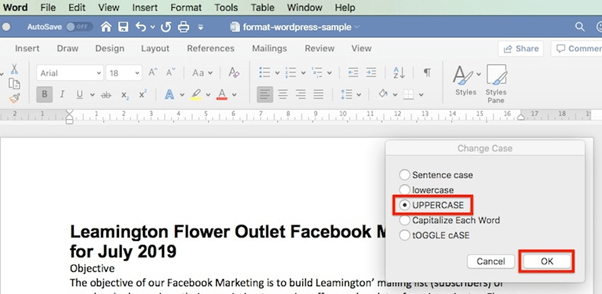
There after select the radio button and click for the case you wish to use. Then click OK.
The title is an important part of your document. So, how you format it is important.
Now that the title is improved which is the most important part of the document and catches the readers attention. Its readability can still be improved.
Want to save your place in this course?
Login or register to save progress and work toward your certificate.