
Rename a tab, group, or command
Login to save your progress and get your certificate.
Your course progress is only saved when you are logged in.
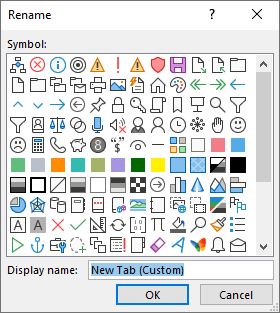
You can rename a default or custom tab or group. You can only rename commands that you’ve added to a custom group.
- Choose a tab, group, or command (custom groups only) to rename in the Customize the Ribbon window.
- Select Rename, and type a new name.
- Optionally, you can also add an icon from the icon gallery.
Want to save your place in this course?
Login or register to save progress and work toward your certificate.