Rename a tab, group, or command
Track Your Course Progress
You are currently studying as a guest. Your course progress and quiz results will not be saved unless you login to your EduCourse account. Login to track your progress and qualify for your certificate.
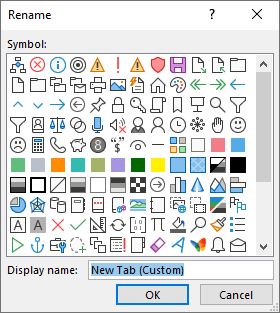
You can rename a default or custom tab or group. You can only rename commands that you’ve added to a custom group.
- Choose a tab, group, or command (custom groups only) to rename in the Customize the Ribbon window.
- Select Rename, and type a new name.
- Optionally, you can also add an icon from the icon gallery.