
Creating a new blank workbook
Track Your Course Progress
You are currently studying as a guest. Your course progress and quiz results will not be saved unless you login to your EduCourse account. Login to track your progress and qualify for your certificate.
Files from Excel are called workbooks. You will need to build a new workbook anytime you begin a new project in Excel. You may choose to create a new workbook or open a new workbook or open an existing workbook with either a blank workbook or a predesigned template.
Creating a new blank workbook:
- When you select the File tab, the backstage view will appear.

- Choose New and click Blank workbook.
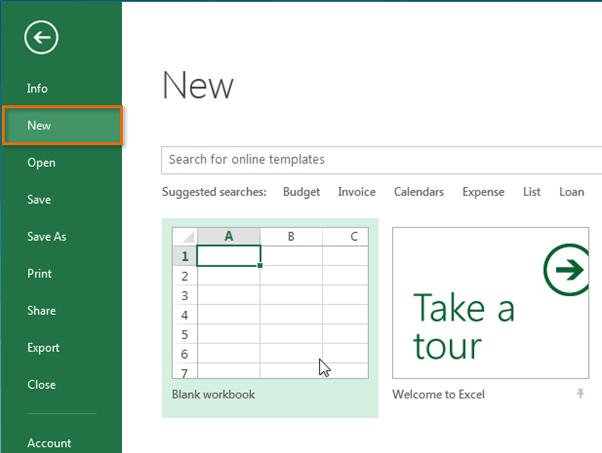
- There will be a new blank workbook.
Opening an existing workbook:
You will also need to open a workbook that was previously saved, in addition to creating new workbooks.
- Browse to Backstage view, and then click Open.

- Choose Computer, and then click Browse.

- The Open dialog box will display. Locate and pick your workbook, then click Open.

If you have opened the desired workbook recently, instead of searching for a file, you can browse your recent workbooks.

