The Quick Access Toolbar
Track Your Course Progress
You are currently studying as a guest. Your course progress and quiz results will not be saved unless you login to your EduCourse account. Login to track your progress and qualify for your certificate.
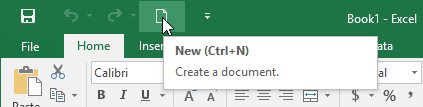
The Easy Access Toolbar, located just above the Ribbon, allows you to access common commands no matter which tab is selected. It contains the Save, Undo and Repeat commands, by default. Depending on your choice, you can add other commands.
Adding commands to the Quick Access Toolbar:
- To the right of the Easy Access Toolbar, press the drop-down button
- From the drop-down menu, pick the command you want to add. Choose more Commands to choose from more commands.
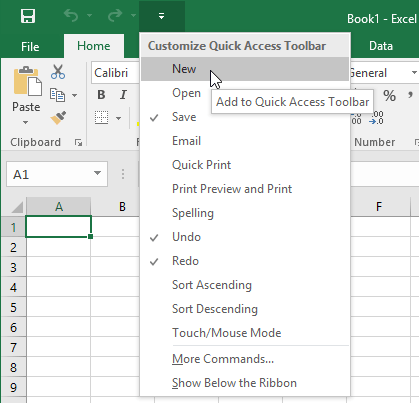
- On the Quick Access Toolbar, the command will be added.