
This guide explains how to start a lesson on EduCourse. It shows you how to open your enrolled course, select the lesson you want to begin, and start working through the lesson content so your progress is tracked from the moment you start.
Before you can start a course lesson you must be logged in and enrolled into a course. If you’re unsure about any of these follow our detailed guides on how to login or how to enrol into a course.
Quick Checks
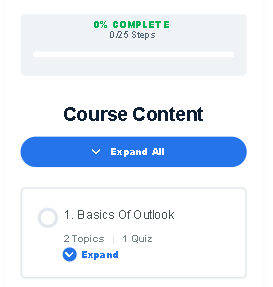
Before starting a course lesson, check the course progress bar to ensure you are enrolled. When you begin a new course, the progress bar will display 0%, indicating that no lessons have been completed yet.
Begin Lesson 1
Course material must be completed in sequence, so your first step is to select Lesson 1 in any course.
In this example, Lesson 1 is titled “Basics of Outlook.”