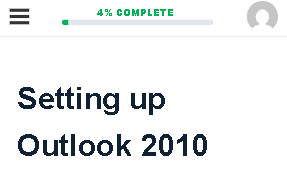
This guide explains how to track your progress in a course on EduCourse. It shows you where to view your completion status, how progress updates as you finish lessons, topics, and quizzes, and how to easily see how far you are from completing the course.
There are two main ways to track your course progress, both options are listed below.
Option One
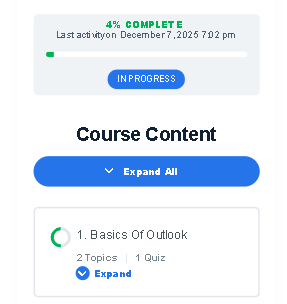
The first way to track your progress is on the main course page, where a clear progress bar is displayed above your course content.
Option Two
The second way to track your progress is directly within the course as you work through the modules. At the top of any course page, you’ll see a progress indicator showing how much of the course you have completed.