
This step-by-step guide shows you how to reset your EduCourse account password if you’ve forgotten it or need to create a new one. It explains how to request a password reset, check your email for the reset link, and securely set a new password so you can regain access to your account and continue learning without delay.
Use the menu
From the menu, choose Sign In.

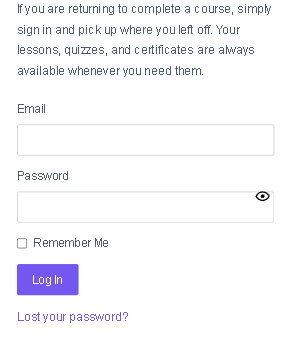
Choose Lost your Password
On the log in form choose “Lost your password” at the bottom of the form.
Enter your email
On the lost password form, enter the email you registered an account with.
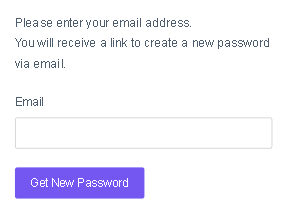
Check your email inbox
After entering your email and clicking Get New Password, you’ll receive an email sent to your inbox. Follow the instructions by clicking on the link to set a new password. You can now log in with your new password after it’s been changed.