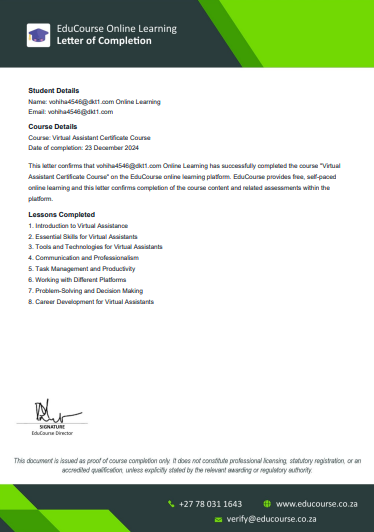
Once you have completed all lessons, topics, and assessments for a specific course, your Course Completion Letter becomes available automatically. This letter is issued per individual course and serves as official confirmation that you have successfully completed that particular course on EduCourse. As soon as the system marks the course as 100% complete, the completion letter is unlocked and ready for download. If you do not see the letter yet, it usually means that one or more lessons, topics, or quizzes in that course are still outstanding and must be completed before the system generates your completion letter.
Ensure Courses are Completed
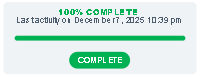
Quickly check your course progress to ensure it says 100% completed, transcripts will only be available if one or more course is completed.
Access Academic Records
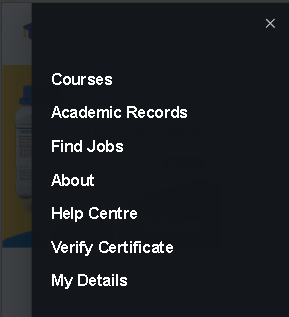
From the menu items, click on Academic Records. You will only see this menu item if you are logged in.
Choose Letter of Completion
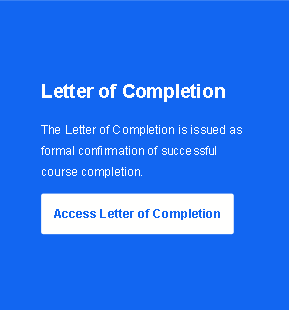
Scroll down and choose the option “Letter of Completion” to view and download your confirmation letter.
List of Available Completion Letters
Before downloading your confirmation letters, you can view all letters available.
Only completed courses will automatically generate a confirmation letter.
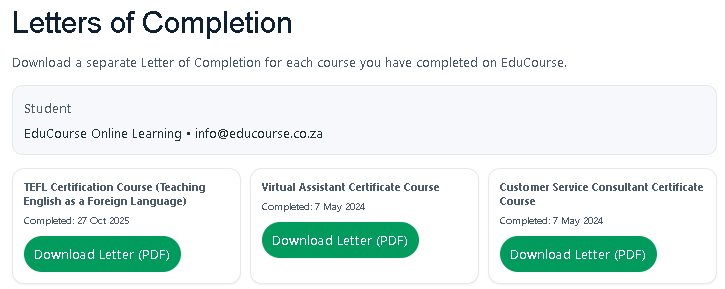
Download Letter (PDF)
Choose Download Letter (PDF),
you can now save your confirmation letter to your device and provide it to employers or recruiters upon request.