
Sharing Calendars
Introduction
Outlook 2010 makes it easy to share your schedule and availability, a feature commonly used in the workplace to collaborate and arrange meetings.
In this lesson, you’ll learn how to share your calendar and schedule meetings in an office environment. We’ll also talk about using Schedule view to find the best possible time for group meetings and how to set your availability.
You must be connected to a Microsoft Exchange Server in order to use the features discussed in this lesson. If you are using Outlook 2010 on your home computer, you won’t be able to use the calendar sharing and meeting features available to those using Outlook in the workplace.
Sharing calendars
In order to schedule meetings with other people in your workplace, your calendar must first be shared. Keep in mind that sharing can vary depending on your office’s network, and your IT department may have already set your calendar sharing settings.
To share a calendar:
- From the Home tab, locate and select the Share Calendar command on the Ribbon. The Sharing invitation dialog box will appear.

Click the buttons in the interactive below to learn more about different calendar sharing options.

After you’ve shared a calendar, you can edit your shared calendar settings by changing your calendar permissions. Just click the Calendar Permissions command on the Ribbon.

To open a shared calendar:
Whenever someone shares a calendar, you will need to open that calendar to view its details.
- Locate and select the Open Calendar command on the Ribbon, then choose Open Shared Calendar… from the drop-down menu.

- The Open a Shared Calendar dialog box will appear. Click the Name… button to choose a shared calendar from your address book.

- The address book will appear. Choose the contact whose shared calendar you want to view, then click OK.

- Click OK to continue.

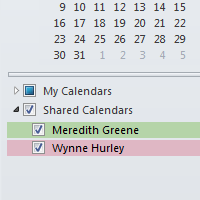
- The shared calendar will appear in the View pane. Click the check box in the Navigation pane to toggle the calendar on and off.
