
How to Find Text in PowerPoint?
Track Your Course Progress
You are currently studying as a guest. Your course progress and quiz results will not be saved unless you login to your EduCourse account. Login to track your progress and qualify for your certificate.
When you’re working with longer presentations, it can be difficult and time consuming to locate a specific word or phrase. PowerPoint can automatically search your presentation using the Find feature, and it allows you to quickly change words or phrases using the Replace feature.
To find text:
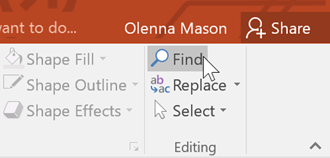
- From the Home tab, click the Find command.
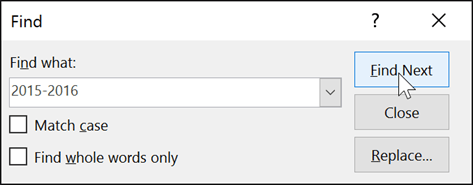
- A dialog box will appear. Enter the text you want to find in the Find what: field, then click Find Next.
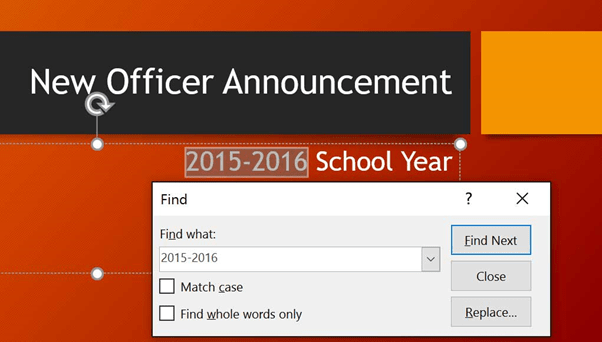
- If the text is found, it will be selected.
You can also access the Find command by pressing Ctrl+F on your keyboard.
