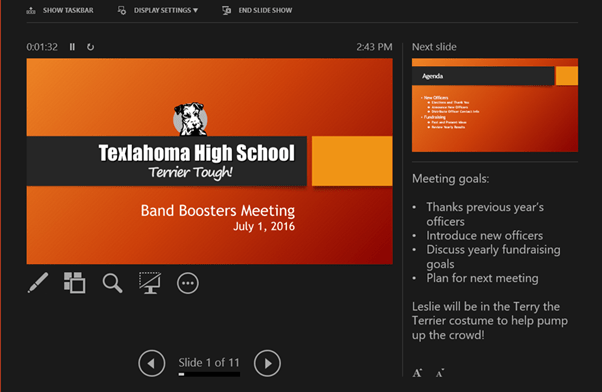
Presenter View Options
Track Your Course Progress
You are currently studying as a guest. Your course progress and quiz results will not be saved unless you login to your EduCourse account. Login to track your progress and qualify for your certificate.
Presenter view
If you’re presenting your slide show with a second display—like a projector—you can use Presenter view. Presenter view gives you access to a special set of controls on your screen that the audience won’t see, allowing you to easily reference slide notes, preview the upcoming slide, and much more.
To access Presenter view:
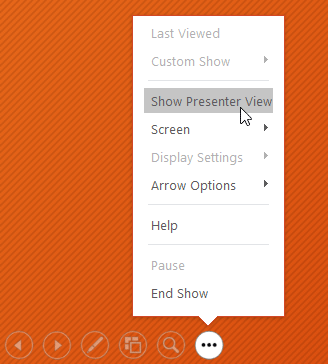
Start your slide show as you normally would, then click the Slide Options button and select Presenter View. You can also press Alt+F5 on your keyboard to start the slide show in Presenter view.
Click the buttons in the interactive below to learn more about using Presenter view.