
Creating and Opening Presentations
Introduction
PowerPoint files are called presentations. Whenever you start a new project in PowerPoint, you’ll need to create a new presentation, which can either be blank or from a template. You’ll also need to know how to open an existing presentation.
To create a new presentation:
When beginning a new project in PowerPoint, you’ll often want to start with a new blank presentation.
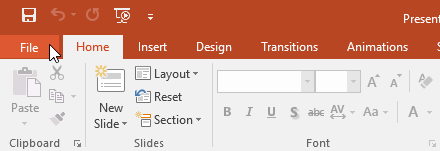
- Select the File tab to go to Backstage view.
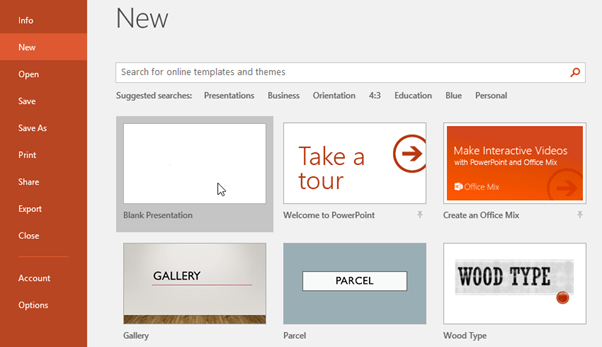
- Select New on the left side of the window, then click Blank Presentation.
- A new presentation will appear.
To create a new presentation from a template:
A template is a predesigned presentation you can use to create a new slide show quickly. Templates often include custom formatting and designs, so they can save you a lot of time and effort when starting a new project.
- Click the File tab to access Backstage view, then select New.
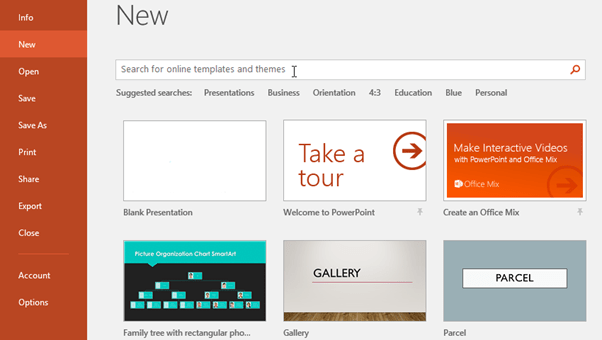
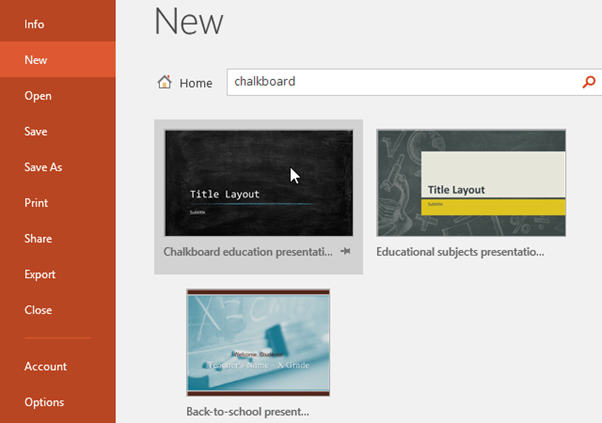
- You can click a suggested search to find templates or use the search bar to find something more specific. In our example, we’ll search for the keyword chalkboard.
- Select a template to review it.
- A preview of the template will appear, along with additional information on how the template can be used.
- Click Create to use the selected template.
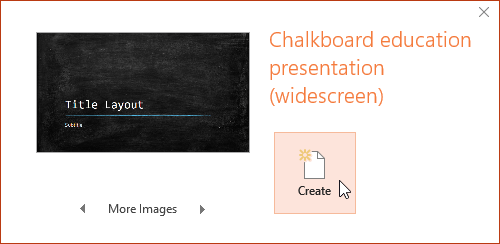
- A new presentation will appear with the selected template.
It’s important to note that not all templates are created by Microsoft. Many are created by third-party providers and even individual users, so some templates may work better than others.
To open an existing presentation:
In addition to creating new presentations, you’ll often need to open a presentation that was previously saved.
- Select the File tab to go to Backstage view, then click Open.

- Click Browse. You can also choose OneDrive to open files stored on your OneDrive.
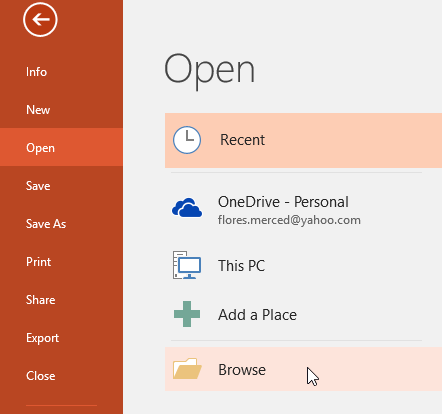
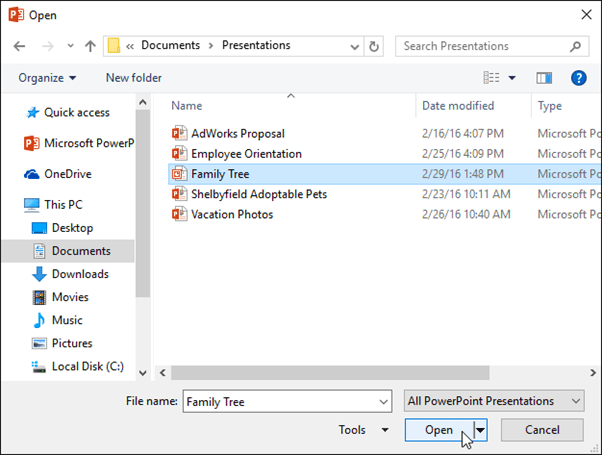
- The Open dialog box will appear. Locate and select your presentation, then click Open.
Most features in Microsoft Office, including PowerPoint, are geared toward saving and sharing documents online. This is done with OneDrive, which is an online storage space for your documents and files. If you want to use OneDrive, make sure you’re signed in to PowerPoint with your Microsoft account.
To pin a presentation:
If you frequently work with the same presentation, you can pin it to Backstage view for easy access.
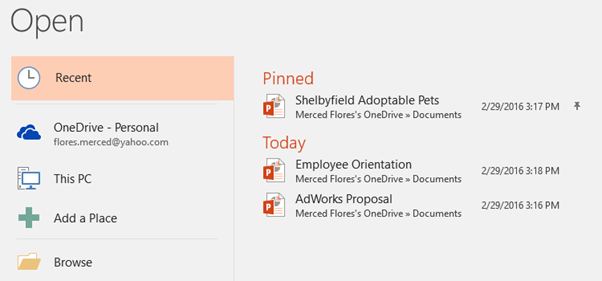
- Select the File tab to go to Backstage view, then click Open. Your Recent Presentations will appear.
- Hover the mouse over the presentation you want to pin, then click the pushpin icon.
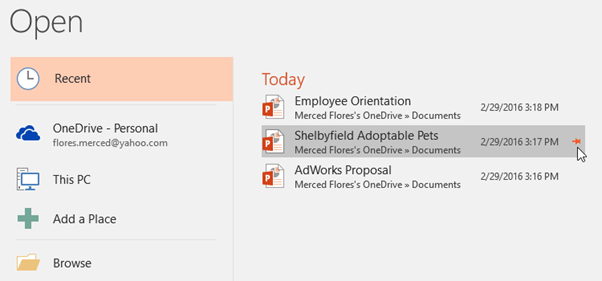
- The presentation will stay in the Recent presentations list until it is unpinned. To unpin a presentation, click the pushpin icon again.
To convert a presentation:
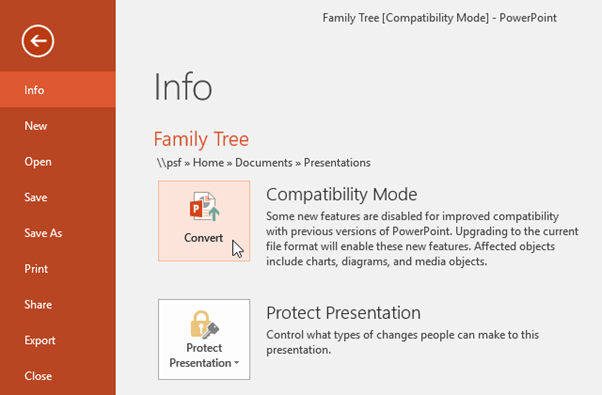
If you want access to the newer features, you can convert the presentation to the current file format.
Note that converting a file may cause some changes to the original layout of the presentation.
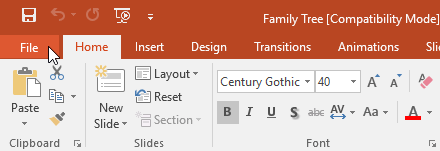
- Click the File tab to access Backstage view.
- Locate and select the Convert command.
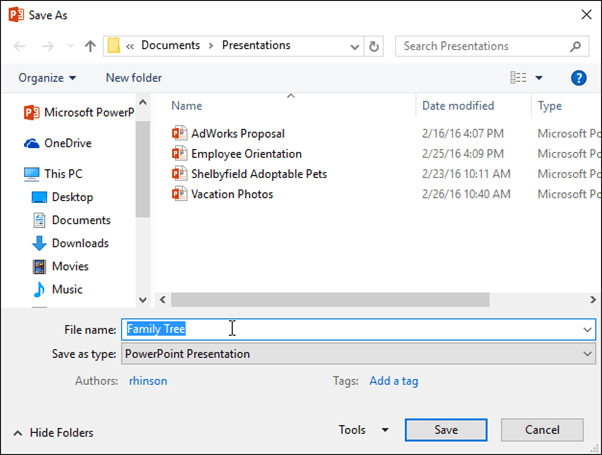
- The Save As dialog box will appear. Select the location where you want to save the presentation, enter a file name, and click Save.
- The presentation will be converted to the newest file type.
