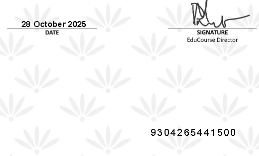
If you need to add or update your 13-digit South African I.D Number on your EduCourse Certificates, you can do so by updating your account details before downloading your certificate. Certificates are generated using the I.D number saved on your profile at the time of issue, so it’s important to ensure the number is entered correctly and matches your official identification. Once your I.D number has been saved, any newly generated certificates will automatically display the updated information. If a certificate has already been issued without your I.D number or with incorrect details, you will need to regenerate or re-download the certificate after updating your profile for the changes to apply.
Log in to your EduCourse account
In order to update your details you must be logged in. Use the sign in button below to access your account. For a full guide on how to log in click here

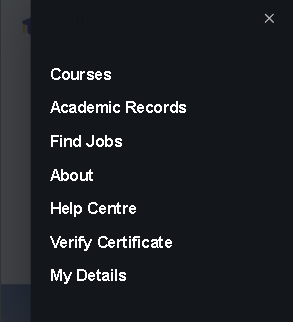
Choose My Details from the Menu
Once you’re logged in our menu will have new options such as “My Details” which is the last option.
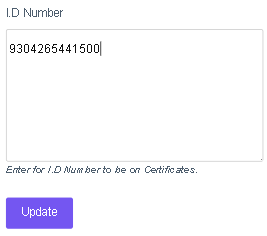
Add I.D Number to profile
Only add your I.D Number in the last field and click the Update button to save changes.
I.D Update Complete
Once you save changes all of your certificates will now show your I.D number at the bottom right corner.