
How to Access and Create a ChatGPT Account
Step-by-Step Guide to Using ChatGPT for the First Time
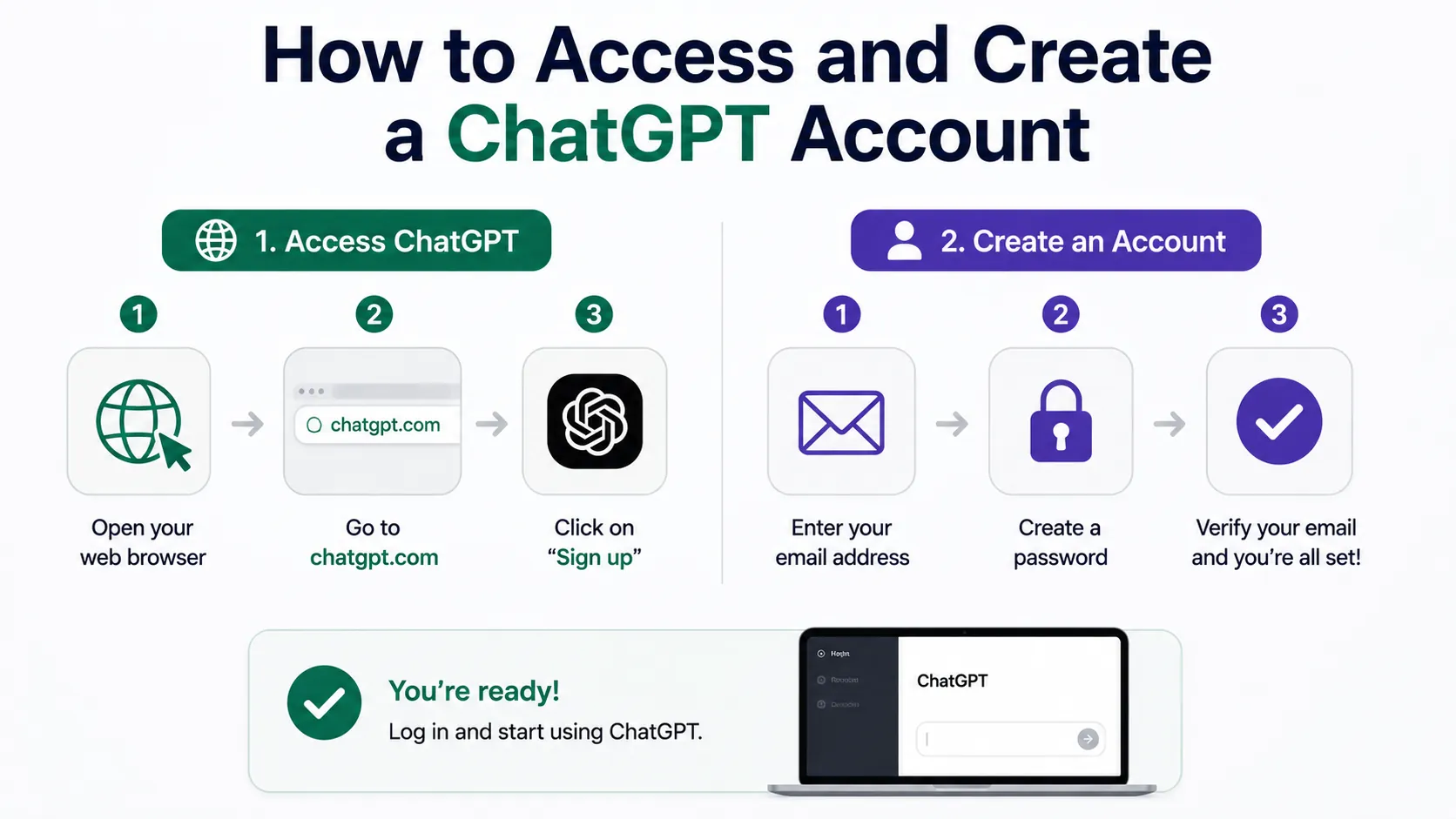
How to Access and Create a ChatGPT Account is simple and quick, even if you are new to online tools. ChatGPT is a popular AI chatbot that helps with many tasks like answering questions, writing, and learning. To start using it, you first need an account. This guide will show you exactly what to do from start to finish.
First, open any internet browser on your phone or computer. In the address bar, type chat.openai.com and press Enter. This will take you to the ChatGPT homepage. You will see options to log in or sign up for a new account.
To create a ChatGPT account, click the Sign Up button. You will be asked to provide your details. You can sign up using your email address or your Google or Microsoft account. Using Google or Microsoft makes it faster because you won’t have to fill in many details.
If you choose to sign up with your email, enter your email address, and then create a strong password. Make sure your password is easy for you to remember but hard for others to guess. After this, click Next.
You will then get a confirmation code sent to your email. Check your inbox for this code and type it into the box on the ChatGPT site. This step verifies your email address and keeps your account safe.
Once your email is confirmed, ChatGPT will ask for some additional information, like your name and country. Fill in these details carefully. Agree to the terms of service and privacy policy by clicking the checkbox at the bottom. This is important because it explains your rights and responsibilities when using ChatGPT.
After completing the signup, your account is ready. You will be logged in automatically and can start using ChatGPT. If you want to log in in future, just visit chat.openai.com and click Log In. Enter your email and password to access your account.
Tips for Using Your ChatGPT Account Safely
- Keep your password secret and do not share it with anyone.
- Log out when using ChatGPT on public or shared devices.
- Use a secure internet connection to protect your information.
- Update your password regularly to improve security.
To get the most from ChatGPT, explore the chat interface once logged in. You can type questions or requests in the box and press Enter to get answers. ChatGPT works best when you type clear and simple instructions.
In summary, learning how to access and create a ChatGPT account takes only a few minutes. With your new account, you can explore many ways to learn, solve problems, and improve your skills. Always remember to protect your account information and enjoy discovering new ways to use ChatGPT for your studies or personal projects.
Live Scenario • Active Situation
You are a junior IT assistant tasked with quickly setting up a new ChatGPT account for your team leader to handle urgent client queries.
There is no single perfect answer. Choose what you would do in this situation.
