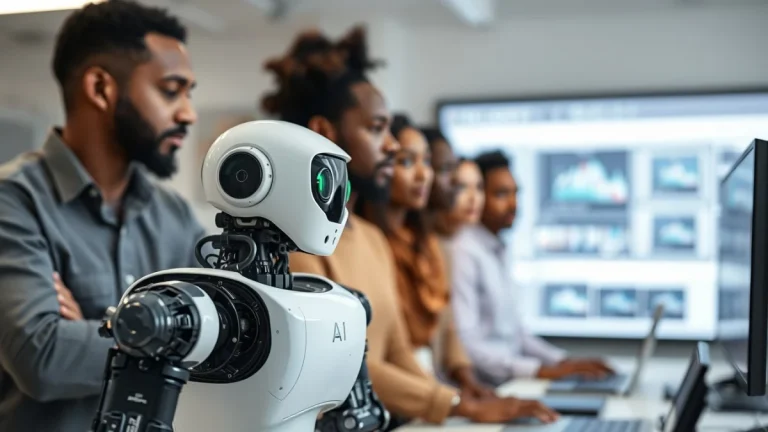
If you want to learn generative AI, the best way to start is by using free software and platforms that let you practice and experiment safely. No need to spend money or have fancy hardware — there are plenty of beginner-friendly tools ready to use online. This guide points you to the top free resources perfect for South Africans who want to begin learning generative AI basics right now.
When you’re new to generative AI, you might worry about costs, coding skills, or understanding complex AI models. Using free tools built for beginners helps you gain practical experience and teaches you how these AI systems work. Plus, this hands-on approach fits well with South Africa’s growing AI job market where having real skills matters.
Quick Answer
Start with free platforms like OpenAI’s GPT Playground to try text generation, Google Colab for running AI code without needing a powerful computer, Hugging Face to use pre-trained models easily, and AI image generators such as DALL·E Mini for creating pictures from text. These tools let beginners explore generative AI basics at no cost, and many come with tutorials to guide you step-by-step.
Why Free Tools Are Great for Learning Generative AI
The best learning comes from doing, and generative AI is no different. Using free software designed for beginners means you don’t just read about AI—you can create AI-generated text or images yourself. This practical approach builds understanding and confidence, especially if you’re unsure where to start.
For learners in South Africa, free platforms remove financial barriers and let you try different AI models without risks. Many are cloud-based, so you don’t need expensive hardware—only an internet connection and a browser. Alongside free courses that offer certificates, these tools help you develop useful AI skills that employers are beginning to look for.
Top Free Software and Platforms to Try
1. OpenAI GPT Playground
The GPT Playground is a popular place to start generating text with AI. You simply type prompts, and the AI writes replies, stories, or summaries. Beginners learn how to craft prompts clearly and see the model’s strengths and limits first-hand. There’s no coding needed, making it very accessible.
2. Google Colab
Google Colab is a free online notebook for writing and running Python code. It supports many AI libraries used in generative AI, such as TensorFlow and PyTorch. You can experiment with code that runs on Google’s cloud computers. This means you don’t need a powerful PC. Many tutorials include Colab notebooks so you can follow and tweak examples easily.
3. Hugging Face Model Hub
Hugging Face hosts thousands of pre-built AI models. You can use these models online or download them to try on your machine. It’s beginner-friendly with simple tools to test models for text, summarisation, translation, or image generation. This makes it easy to see AI model behaviour without deep coding knowledge.
4. Free AI Image Generators (DALL·E Mini, Stable Diffusion Web Easy)
If you want to create images from text descriptions, free AI image generators are a fun and visual way to learn. DALL·E Mini and Stable Diffusion Web Easy let you enter simple prompts and get AI-created pictures instantly. This helps grasp how AI creates complex outputs beyond text and offers more creative practice.
How to Use These Tools Well as a Beginner
First, sign up for OpenAI to use the GPT Playground and start with simple prompts like “Describe a sunny day in Cape Town.” See what kinds of responses the AI gives to different wordings. This helps you learn how specific your prompts need to be.
Next, try Google Colab notebooks linked to beginner guides. Follow step-by-step instructions to run models and change code. This hands-on coding practice helps you understand how generative AI programs work behind the scenes.
Explore Hugging Face’s website to quickly test different models for tasks like text summarisation or language translation. Use the online interface before moving on to downloading or building your own projects.
Finally, experiment with AI image generators by entering your own text ideas. Adjust your prompts to see how results change. This is a practical skill in creative AI and teaches how AI interprets language in different ways.
Common Beginner Mistakes and How to Avoid Them
A common mistake is using unclear or vague prompts. For example, just typing “story” will give random outputs. Try to be specific: “Write a short story about a street market in Johannesburg.” Precise prompts usually get better results.
Also, don’t trust AI output blindly. Sometimes the AI might produce incorrect facts or biased content. Always check and think critically about what the AI generates, especially if you want to use the content for work or study.
Another trap is rushing into complex AI code without learning the basics. Focus first on understanding simple models and data handling before jumping into advanced architectures.
Remember your computer’s limits. Some models run slower if your internet connection is weak or if your device isn’t strong, so be patient and choose cloud-based tools when possible.
By avoiding these common issues, you’ll have a smoother learning path and enjoy working with generative AI more.
Keep Learning and Get Certified
Using these free tools is a solid start, but to get the full picture and structure in your learning, consider enrolling in a free Generative AI Basics Course with Certificate. This kind of course guides you through key concepts with quizzes and assignments and helps you show employers you have up-to-date skills.
EduCourse offers a beginner-friendly Free Generative AI Basics Course with Certificate in South Africa. It combines practical work using the tools mentioned here and is great for learners wanting online, free training that fits their schedule.
Ready to begin? Enrol now and start creating AI content, understanding how AI models work, and applying AI in real-life jobs.