Quick Answer
Understanding What Microsoft Excel Is Used For
Microsoft Excel is primarily used as a spreadsheet application that allows users to input, organise, calculate, and analyse data quickly and accurately. If you want to learn practical skills for data management in South Africa, taking a Free Excel Course with Certificate in South Africa is a great start.
This powerful software supports various functions ranging from simple data entry to complex financial modelling. It is widely used in educational institutions, businesses, and government offices across South Africa for effective data handling and reporting.
At its core, Excel helps users create workbooks made up of worksheets filled with rows and columns. Each intersection forms a cell where data can be entered or calculated. This layout makes it easy to sort and filter large data sets for easier interpretation.
How Excel Helps You Manage Data
Excel’s structure allows users to organise information such as budgets, inventories, attendance records, and survey results. For example, South African small business owners use Excel to keep track of sales and expenses, while students use it to record and analyse study results.
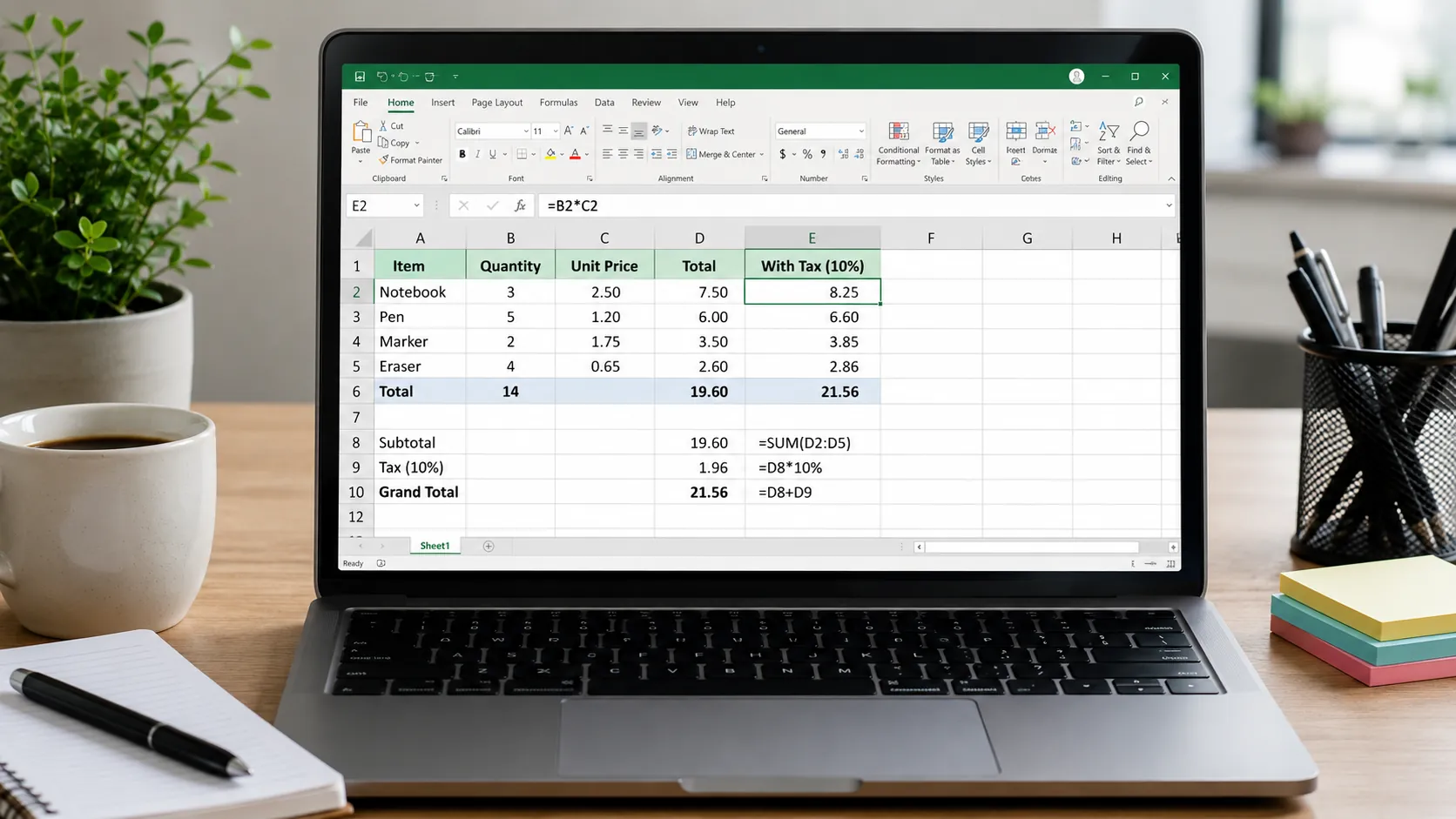
Beyond simple lists, Excel can perform automated calculations using formulas. These formulas let you add, subtract, multiply, and divide numbers instantly. This saves time and reduces mistakes compared to manual calculations.
Excel also offers tools to visualise data through charts, graphs, and pivot tables. This makes it easier to spot trends and present information clearly, whether for a school assignment or a business report.
Practical Uses of Microsoft Excel
One common use is budgeting. You can set up your monthly income and expenses in Excel, use formulas to calculate totals, and format cells to highlight where you overspend. This method is popular among South Africans managing household finances effectively.
Another is project tracking. Teams can create task lists with due dates, assign responsibilities, and update progress in real time. Sharing Excel files online facilitates smooth communication and collaboration.
Data analysis is also important. For instance, if you gather survey responses, you can use Excel functions like COUNTIF or AVERAGE to summarise responses quickly. This helps organisations make data-driven decisions.
Steps to Get Started with Excel
To use Excel effectively, follow these practical steps:
- Open a new workbook and familiarise yourself with the Excel environment, including the ribbon, formula bar, and worksheet tabs.
- Enter data into cells carefully, using proper formats such as dates or currency where needed.
- Use formulas for basic calculations such as SUM and AVERAGE to automate totals and averages.
- Apply formatting tools like bolding headers or changing font colours to improve readability.
- Create simple charts from your data to visualise trends effectively.
Common Mistakes to Avoid When Using Excel
While learning Excel, watch out for these frequent errors:
- Entering data inconsistently, which can cause sorting and filtering problems later.
- Not using cell references in formulas, leading to incorrect or static results.
- Ignoring proper formatting, making spreadsheets hard to read and interpret.
- Forgetting to save work often and avoid data loss.
- Overlooking Excel features like Find & Replace that simplify editing large datasets.
Examples of Excel in Everyday Life
For example, a student in Cape Town might use Excel to create a study timetable, calculate grades, and track subject progress. A shop owner in Johannesburg may record daily sales and monthly expenses, using SUMIF functions to analyse product performance.
In offices, Excel helps by generating invoices, managing employee attendance, or tracking projects with deadlines and budgets. Each use case underscores Excel’s flexibility and importance.
Continue Learning with EduCourse’s Excel Certificate Course
To build your skills systematically, consider enrolling in EduCourse’s Free Excel Course with Certificate in South Africa. This course covers essential topics like working with cells, formatting, formulas, and key functions through lessons and quizzes. It’s beginner-friendly and designed to help you become confident using Microsoft Excel for personal and professional purposes.
Visit https://www.educourse.co.za/courses/microsoft-excel-basic-course/ to start learning and earn your certificate at no cost.
What are the main functions Excel is used for?
Can I use Excel for budgeting my personal finances?
Is Excel difficult to learn for beginners?
How does Excel help businesses in South Africa?