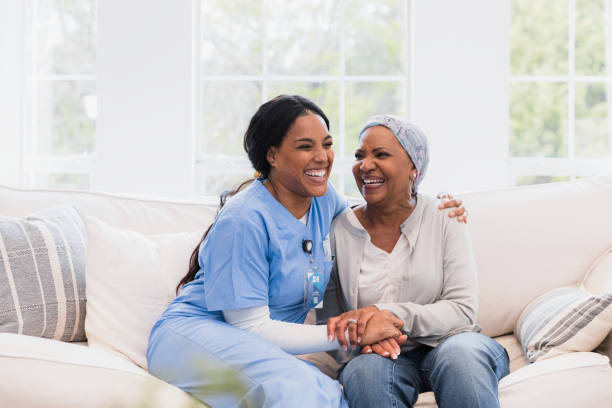
Welcome to Your Home Care Giving Certificate Course

Congratulations on enrolling in the Home Care Giving Certificate Course! You’re now on your way to gaining essential skills and knowledge in home-based caregiving. This course is designed to help you start learning and master the art of providing high-quality care in a home setting.
Access Your Course Content
To begin your learning journey, use the iframe below to access all course modules, topics, and assessments. Study online at your own pace and start building your expertise today.
Course Overview
This comprehensive Home Care Giving Certificate Course includes 10 modules, each focusing on critical areas of caregiving. You’ll cover everything from personal care skills to legal and ethical considerations, ensuring you are well-prepared for all aspects of home care.
Number of Modules: 10
Complete all Modules to Pass
Pass Mark: 80%
Certificate: Yes
Assessments: After each major module
Learning Material: Yes
Included in Transcript: Yes
Module Breakdown
- Module 1: Introduction to Home-Based Care
- Definition, importance, and legal/ethical considerations of home-based care.
- Module 2: Personal Care Skills for Home-Based Caregivers
- Basics of daily care, including bathing, dressing, and toileting.
- Module 3: Health Monitoring and Basic Medical Knowledge
- Vital sign monitoring, medication management, and recognizing health issues.
- Module 4: Safety and Infection Control in Home-Based Care
- Home safety assessments, emergency response, and infection control.
- Module 5: Nutrition and Meal Planning for Home Care
- Dietary needs, meal planning for special diets, and promoting healthy nutrition.
- Module 6: Communication and Relationship Building in Home Care
- Effective communication, building trust, and cultural competence.
- Module 7: Alzheimer’s and Dementia Care at Home
- Understanding dementia, communication strategies, and creating a dementia-friendly environment.
- Module 8: Palliative and End-of-Life Care in Home Settings
- Providing comfort, communication with families, and ethical considerations in end-of-life care.
- Module 9: Caregiver Self-Care in a Home-Based Environment
- Stress management, work-life balance, and seeking support.
- Module 10: Home-Based Care Planning and Documentation
- Assessing needs, developing a care plan, and documentation.
Why Continue with This Course?
- Top-Tier Certification: Earn a certificate that highlights your caregiving skills and commitment.
- Free Learning: Access all course materials and assessments at no cost.
- Study Online: Learn at your own pace from anywhere.
- Get Your Certificates: Complete the course and receive your certificate to showcase your achievements.
- Earn Achievements: Gain practical skills and knowledge to excel in home-based caregiving.
Next Steps:
- Explore the Modules: Use the iframe to access and study all course content.
- Complete Assessments: Pass all assessments with a score of 80% to earn your certificate.
- Download Your Certificate: Your certificate will be available immediately upon completion.
Need Help?
If you have any questions or need support, feel free to contact us or visit our help center for more information.