
6.3 Virtual meeting platforms and best practices
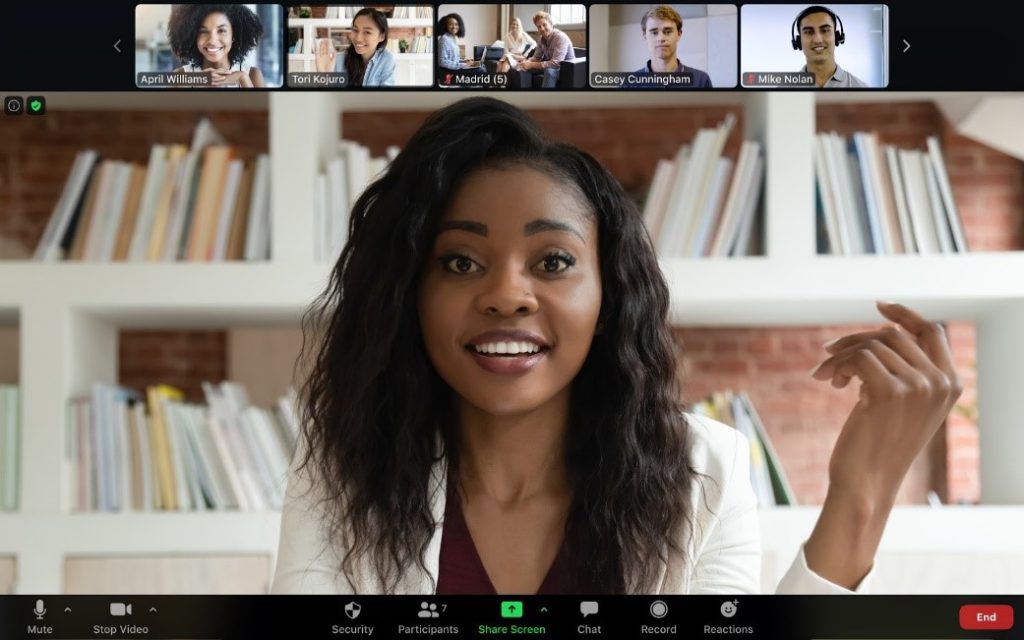
In the contemporary landscape of remote work, virtual meetings are the cornerstone of collaboration. This module is dedicated to familiarizing aspiring virtual assistants with various virtual meeting platforms and outlining best practices for successful virtual interactions. Participants will gain insights into selecting and utilizing platforms like Zoom, Microsoft Teams, or others, while also understanding the etiquettes and practices that contribute to effective and professional virtual meetings.
Key Points:
- Platform Familiarization:
- Introduce popular virtual meeting platforms and their key features. Discuss the advantages and limitations of each platform, enabling virtual assistants to choose the most suitable one for different scenarios.
- Setting Up and Managing Meetings:
- Provide guidance on scheduling, setting up, and managing virtual meetings. This includes sending invitations, managing participant lists, and utilizing features such as screen sharing and breakout rooms.
- Participant Engagement:
- Discuss strategies for keeping participants engaged during virtual meetings. Explore interactive features, encourage participation, and foster a collaborative atmosphere.
- Troubleshooting and Technical Support:
- Equip virtual assistants with troubleshooting skills for common technical issues that may arise during virtual meetings. This includes addressing connectivity issues, audio problems, and other technical hiccups.
- Virtual Meeting Etiquette:
- Outline best practices for maintaining professionalism during virtual meetings. This encompasses considerations like punctuality, appropriate attire, minimizing distractions, and effectively communicating in a virtual setting.
Examples:
- Platform Familiarization:
- “Explore virtual meeting platforms such as Zoom and Microsoft Teams. Zoom offers features like breakout rooms for smaller discussions, while Teams integrates seamlessly with Microsoft Office applications. Familiarize yourself with these tools to adapt to various client preferences.”
- Setting Up and Managing Meetings:
- “Subject: Invitation to Virtual Meeting – [Your Name]. Hi Team, I’ve scheduled a virtual meeting for [purpose] on [date] at [time]. Please find the meeting link and agenda attached. Let me know if you have any scheduling conflicts. Looking forward to our discussion. Best regards, [Your Name].”
- Participant Engagement:
- “During virtual meetings, use interactive features like polls and Q&A sessions to encourage participation. Pose questions to specific team members and create an open environment for sharing ideas.”
- Troubleshooting and Technical Support:
- “Subject: Technical Support for Today’s Meeting – [Your Name]. Hi Team, if anyone experiences technical difficulties during today’s meeting, please reach out to me via chat. I’ll be available to assist with any connectivity or audio issues. Let’s ensure a smooth meeting experience. Best regards, [Your Name].”
- Virtual Meeting Etiquette:
- “Maintain professionalism during virtual meetings by joining on time, dressing appropriately, and minimizing distractions. Use the mute function when not speaking, and contribute to discussions with clear and concise communication.”
Real-Life Implementation Tips:
- Experiment with Platforms:
- Test different virtual meeting platforms to understand their features. Experimenting with platforms like Zoom, Microsoft Teams, or others will help you choose the most suitable one for various situations.
- Create Meeting Templates:
- Develop standardized templates for meeting invitations and agendas. This ensures consistency and professionalism in your communication when scheduling and managing virtual meetings.
- Interactive Meeting Techniques:
- Practice incorporating interactive elements into your meetings. Experiment with features like polls or breakout rooms to keep participants engaged and foster collaboration.
- Troubleshooting Practice:
- Familiarize yourself with troubleshooting common technical issues. Be proactive in offering technical support during meetings to address any challenges that participants may encounter.
- Professional Virtual Presence:
Pay attention to your virtual presence. Ensure a tidy and professional background, use appropriate lighting, and adopt best practices for maintaining a polished and professional image during virtual meetings.